© ADB Airfield Solutions All Rights Reserved 17
2.2.10 Stand-Alone
Pushbutton Description
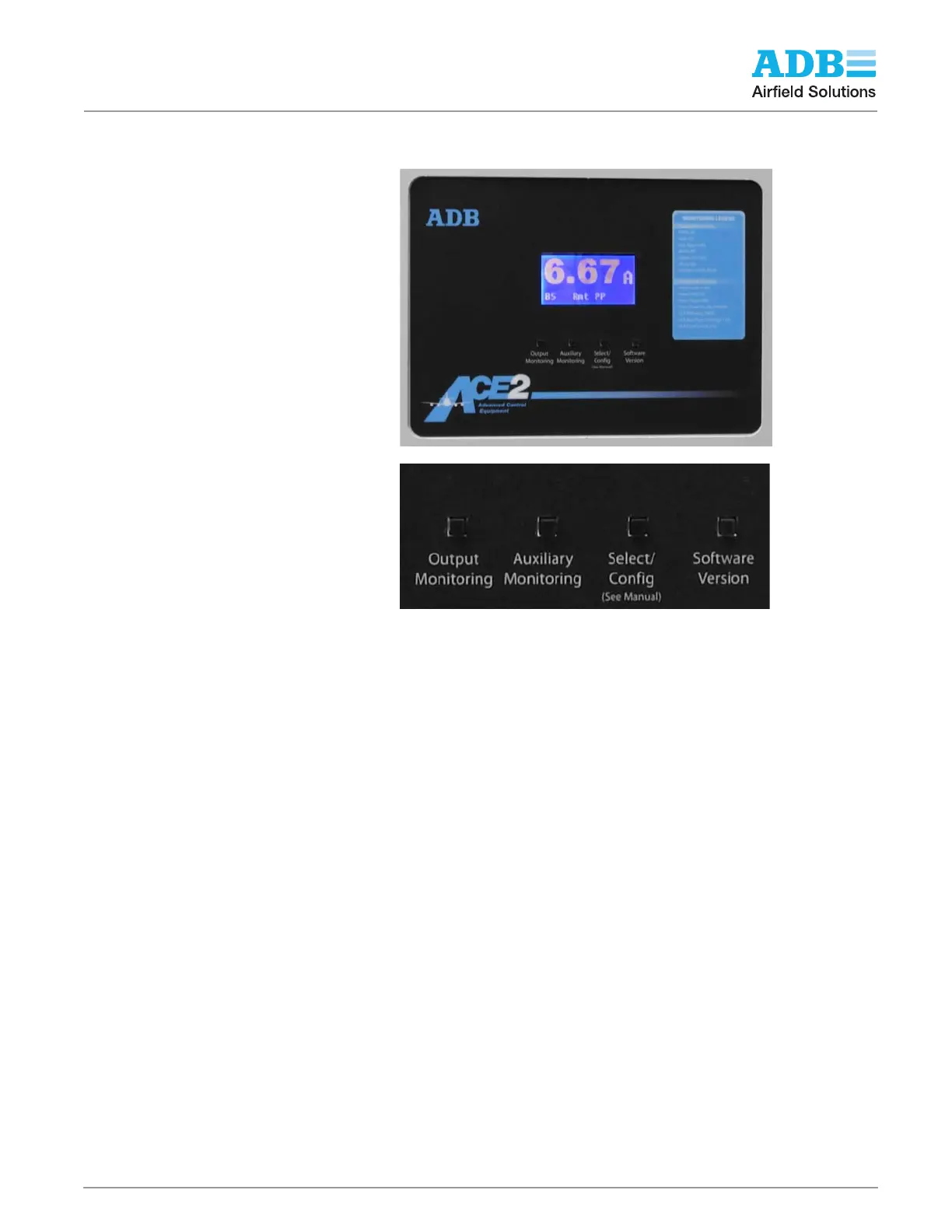
Figure 9 shows the Monitoring Legend and the Pushbutton Functions.
Figure 9: ACE2 Legend and Button Enlargement
NOTE: The buttons and the monitoring legend are the same for all ACE2 units.
Refer to Figure 10. The pushbuttons are described left to right as 1 through 4, and their
functions are as follows:
Push button 1, Output Monitoring, provides selection of the LCD top string from the following
list of the monitored parameters:
— “Amps”: Output CCR current (A).
— “Volts”: Output CCR voltage (V).
— “VA”: Output CCR VA (VA).
— “Watts”: Output CCR watts (W).
— “LO”: Number of lamps out on the lamp circuit (optional).
— “Ohms”: The last insulation resistance reading for the lamp circuit (Ω) (optional).
— “Cycle”: Above list cycled.
Pushbutton 2, Auxiliary Monitor (optional), if the function is enabled, provides access to the
CCR input power parameters:
— Input Current “iAmps” (A).
— Input Voltage “iVolts” (V).
— Input Power “iWatts” (W).
— Input Power Factor “iPwrFtr” decimal fraction.
— CCR Efficiency “Effcncy”(%).
A second CVM is connected to the input of the CCR to measure these parameters. If these
functions are enabled, the display shows the following hour-meter parameters:
— Total time the CCR has been ON xHT.
— Time the CCR has been on Step B1 xH1.
— Time the CCR has been on Step B2 xH2.
— Time the CCR has been on Step 3 xH3.


 To Next Page