Addmaster Corporation IJ-7100 User’s Guide
3.2 Loading Ink-Cartridges
Follow these steps when loading Ink-Jet Cartridges.
1. Be sure you have obtained the proper replacement ink-cartridge.
2. Open the new ink-cartridge. Follow any instructions packed with the cartridge.
3. Remove the printer’s access lid. The lid lifts upwards.
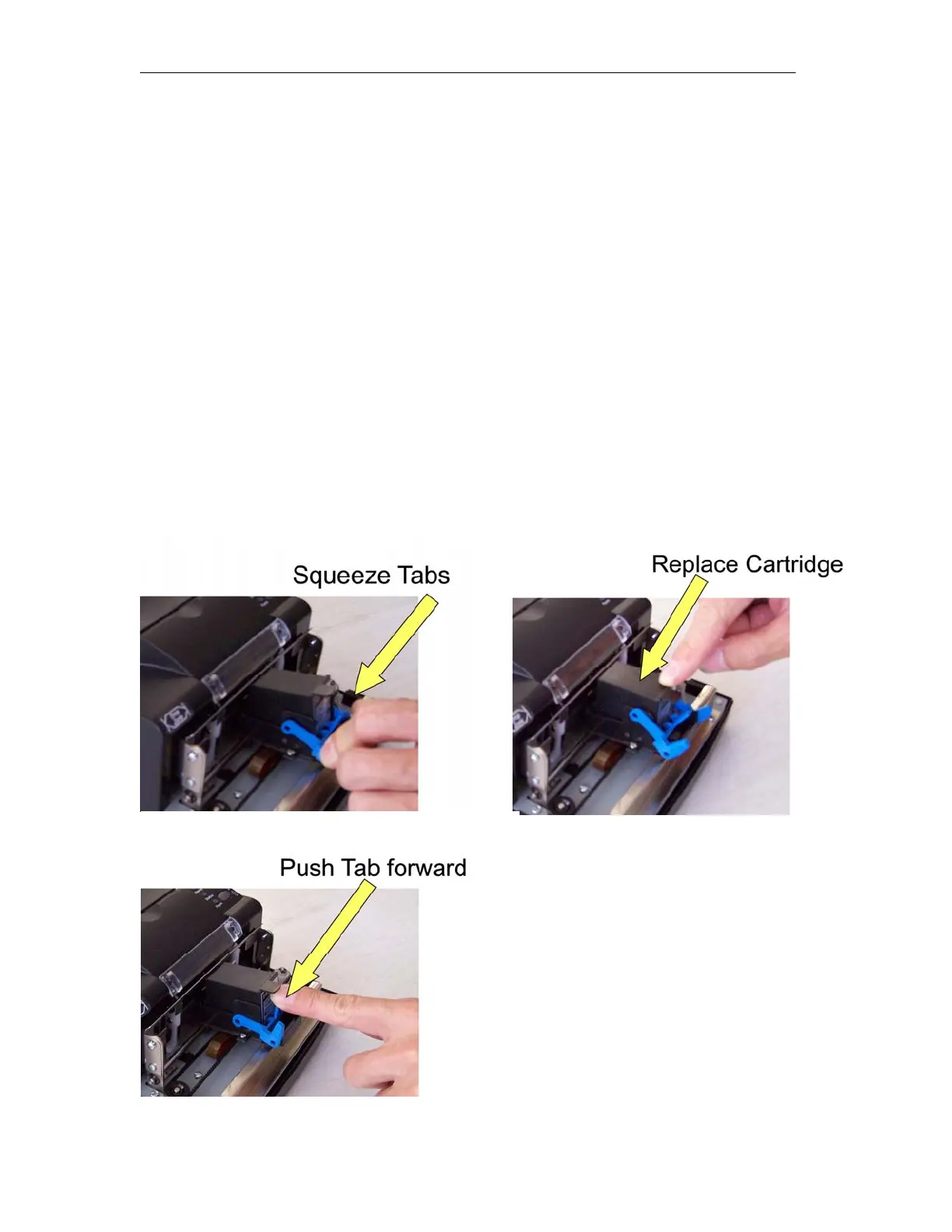
4. Remove used ink-cartridge by squeezing release arms as shown.
5. Insert new cartridge. First, tilt the ink-cartridge and insert at a slight angle with the
nozzles downwards.
6. Latch ink-cartridge into place by pressing tab forwards.
Figures 3.2 Installing the Ink-Cartridge
_____________________________________________________________________________
Page 14



 To Next Page