Addmaster Corporation IJ-7100 User’s Guide
2 Installation
When installing the IJ-7100 printer, please follow the steps outlined in this section. Some steps
may not be required in your application. Please read through the entire chapter once before
beginning the installation process.
2.1 Unpacking
After unpacking, please check to see if you have received all components listed in the packing
list. Check for any obvious signs of shipping damage. If you are missing any items, please
contact your reseller immediately.
All packaging materials should be saved and re-used in the case the printer must be transported
in the future. Also, never discard any packaging materials whatsoever, until the printer is
completely installed and working properly.
2.2 Setup
The IJ-7100 printer should be installed on a flat surface, protected from extreme environmental
conditions such as dust, moisture, and heat. We also recommend against installing the printer in
direct sun-light as this can on occasion cause operational errors with the printer’s document
sensors, especially if attempting to operate the printer with its front cover (access lid) open.
Remove any protective elements added for shipping. These elements will vary depending on
model and shipping method. If included, they will be indicated and specified by color coded
instructions packed with the printer.
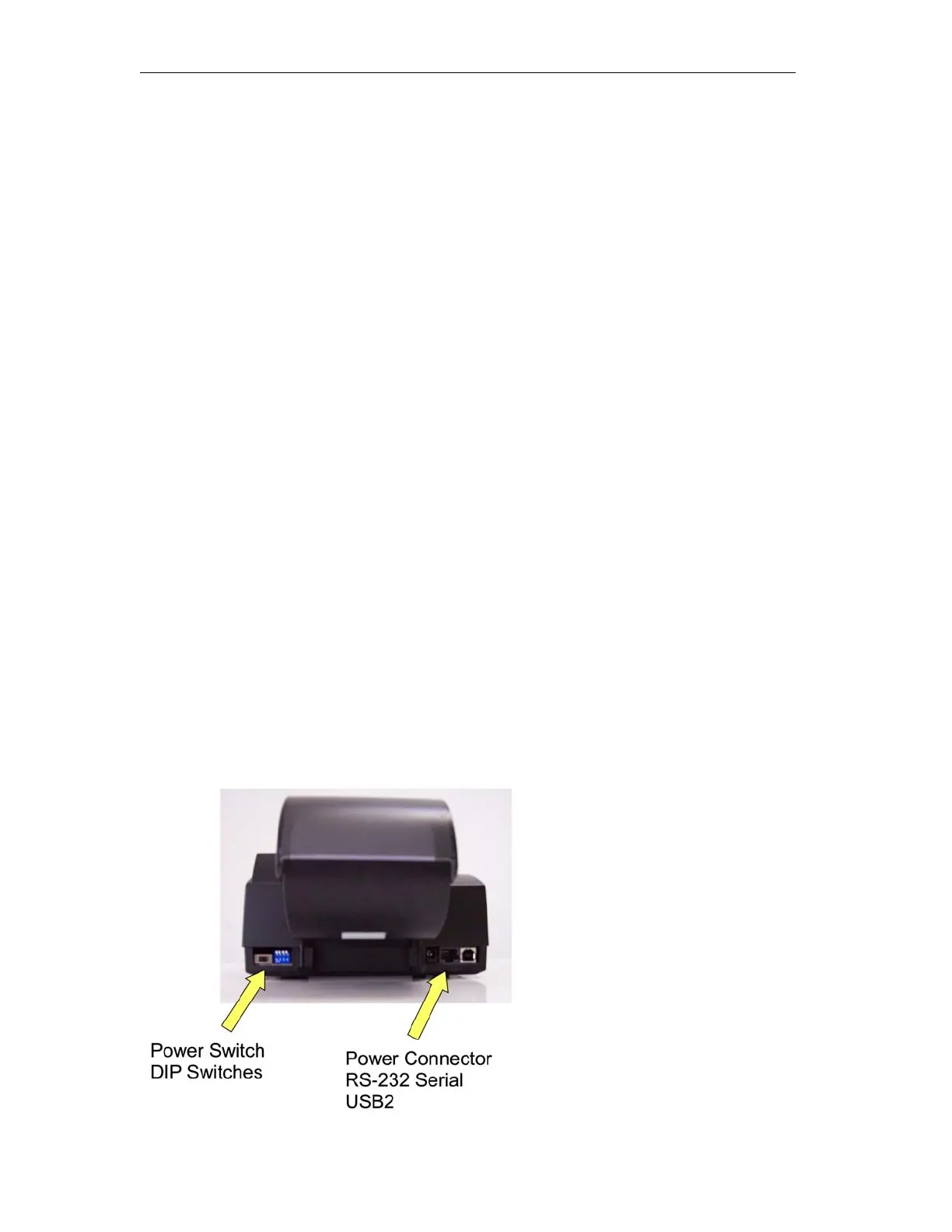
Refer to Figure 2.1 when attaching cables.
Figure 2.1 Rear Panel Connectors
_____________________________________________________________________________
Page 8



 To Next Page