Addmaster Corporation IJ-7100 User’s Guide
3.3 Loading Paper
Before installing a new roll of paper the remains of the old roll must be completely removed. Use
the paper feed button to feed out the paper and then remove manually.
Step #1: Preparation.
Install the roll paper with the printer powered ON.
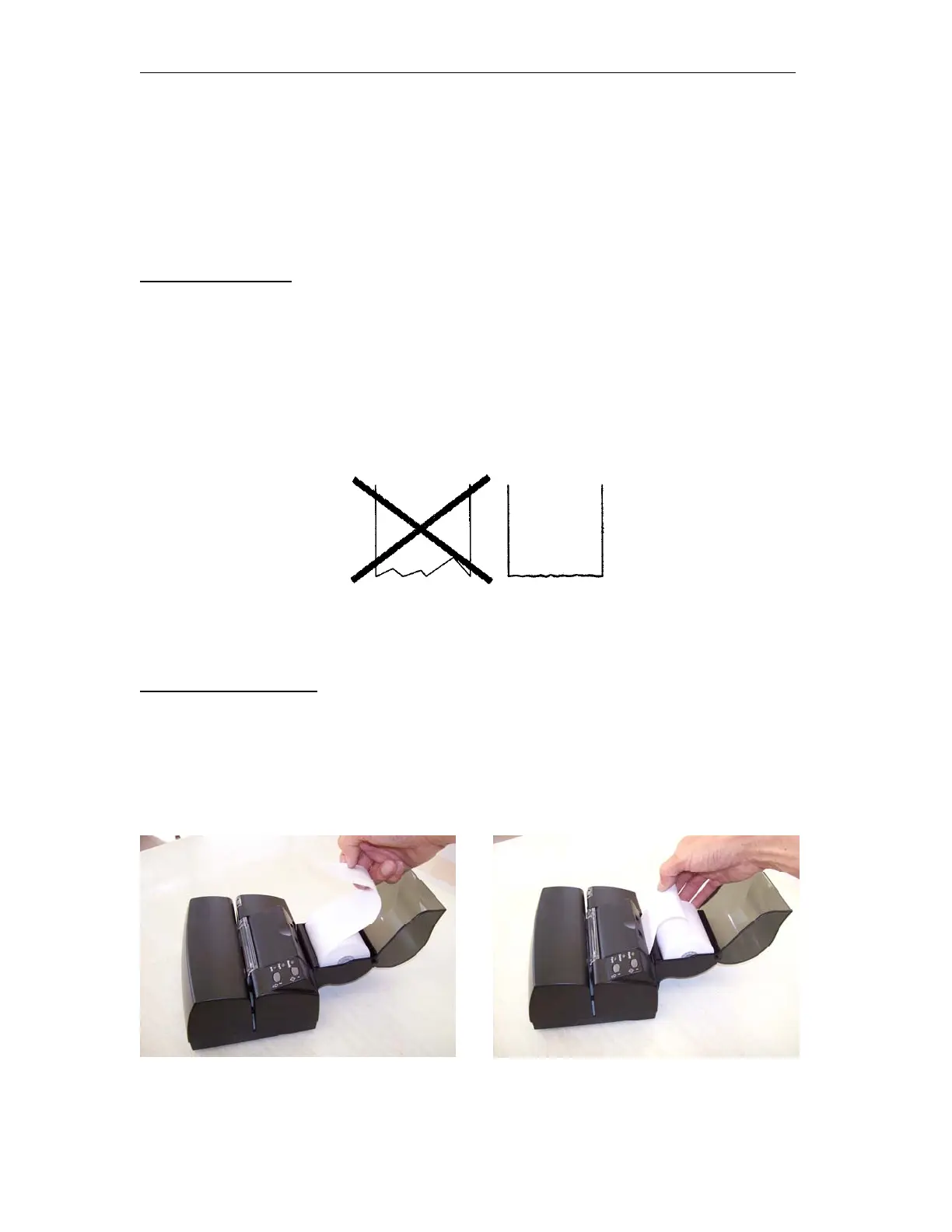
Make sure the paper on the new paper roll is cut or torn evenly at its end. See the illustration.
Locate the paper intake chute. The intake chute extends outwards from the rear of the printer to
assist you.
Figure 3.3 Paper Edge
Step #2: Load the Paper.
Position the paper so that the paper unwinds from the bottom.
Gather a loop in one hand. Guide this length of paper into the paper path. When the paper is
inserted far enough into the printer, the feed mechanism is automatically activated and the paper
is fed through the machine and its tear-bar.
Figure 3.4 Feeding the Paper
_____________________________________________________________________________
Page 15



 To Next Page