65
Weather station with wireless outdoor sensor WS 2302
English
4 See “Temperature and humidity trend”
5 Humidity in percentage
6 See “Temperature and humidity alarm”
7 Temperature in degrees Celsius or Fahrenheit
8 See “Frost alert”
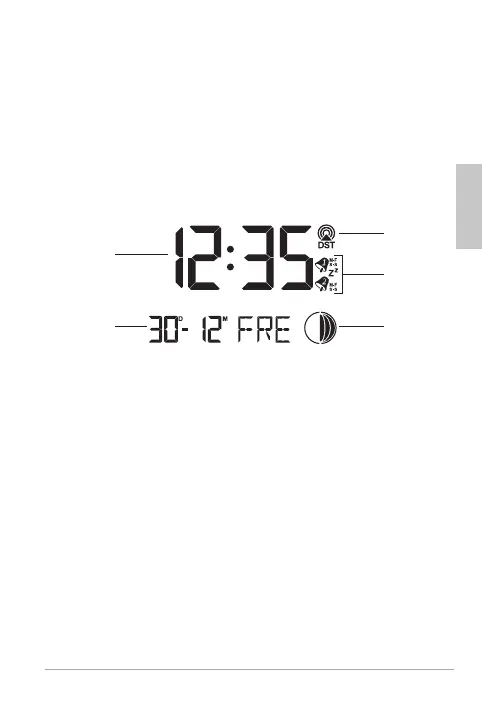
Time, date and week display
10
11
9
12
13
9 Signal reception by the time signal transmitter
when Daylight Saving Time (DST) is enabled
10 Alarm functions and snooze function are enabled
11 Moon phase, see “Moon phases”
12 Date display
13 Time
Weather forecast and weather trend
After start-up, the information still can not be used for
weather forecasting for approximately 12 hours, since the
weather station needs this time to collect and analyse the
weather data.



 To Next Page