70
Weather station with wireless outdoor sensor WS 2302
Activating/deactivating temperature alarm
1. Where applicable, select the desired wireless sensor
via CH first (where multiple wireless sensors are used).
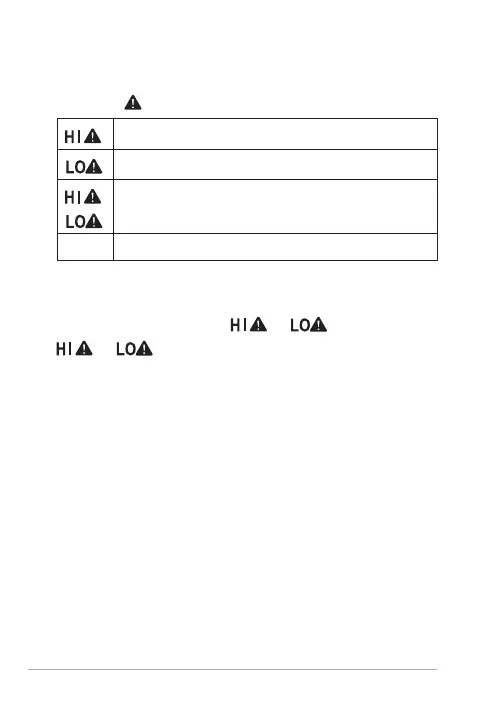
2. Press the
button repeatedly and watch the display:
Upper temperature alarm limit is activated
Lower temperature alarm limit is activated
Upper and lower temperature alarm limits
are activated
Temperature alarm is deactivated
When the temperature alarm is triggered:
When the temperature limits are reached, the device
beeps several times and
or starts flashing.
or keeps flashing until the temperature is
no longer within the set range or until the tempera
-
ture alarm is deactivated.
Each temperature update is confirmed by a beep.
Displaying stored temperatures
With the temperature and humidity values displayed, the
base station starts recording the maximum and minimum
temperature/humidity values.
1. Where applicable, select the desired wireless sensor
via CH first (where multiple wireless sensors are used).
2. Press the + button repeatedly to have the following
readings displayed one after the other:
− highest indoor and outdoor temperature/humid
-
ity



 To Next Page