OPERATING INSTRUCTIONS
Program Mode: In this mode you can choose 1 of 7 programs to run. The fade speed and program
speed are both adjustable.
1. Plug the xture in and press the MODE button until “P-xx” is displayed. “xx” is the currently selected
program number.
2. Use the UP of DOWN button to nd your desired program.
3. Press the ENTER button to adjust the fade speed, “00” being the slowest, “30” the fastest.
4. Press the ENTER button again to adjust the color change speed, “00” being the slowest, “30” the
fastest.
• P-01 - 64 Color Change with Fade Control
• P-02 - 64 Color Change No Fade
• P-03 - 64 Color Fade
• P-04 - 6 Color Change No Fade
• P-05 - 6 Color Change With Fade
• P-06 - 64 Color Fade with Sound Control
• P-07 - 64 Color Change with Sound Control
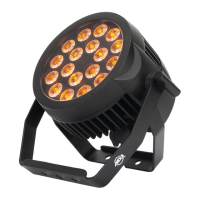
Sound Active Mode: In this mode the 18P Hex will react to sound, and chase through the dierent
colors.
1. Plug the xture in and press the MODE button until “Soxx” is displayed. “xx” represents the sound
sensitivity level.
2. Use the UP and DOWN buttons to adjust the sensitivity. “00” is the lowest sensitivity, “30” is the
highest.
Activate RF Control: This function is used to activate and deactivate the RF Remote Control. When
this function is activated you can control the xture using the Dotz Par RF remote. Please see the Dotz
Par RF Operation section of this manual for details.
1. Plug the xture in and press the MODE button until “rFxx” is displayed. “xx” represents either “on”
or “oFF”.
2. Press the UP or DOWN buttons to either activate the remote function (On) or deactivate it (O).
Dimmer Curve: This is used to set the dimmer curve used with DMX mode. See the Dimmer Curve
Chart section of this manual for more information.
1. Plug the xture in and press the MODE button until the DMX address is displayed.
2. Press the ENTER button until “dCxx” is displayed. This is the dimmer setting. “xx” represents the
currently selected dimming mode.
3. Use the UP and DOWN buttons to nd your desired dimmer curve. Press SET UP when you are
nished.
• dC00 - Standard
• dC01 - Stage
• dC02 - TV
• dC03 - Architectural
• dC04 - Theater
10



 To Next Page