Need help?
Do you have a question about the ADJ VPar Pak and is the answer not in the manual?
Instructions for checking the shipping carton for damage, ensuring all parts are present.
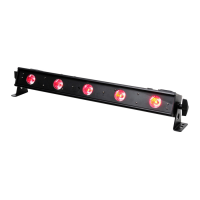
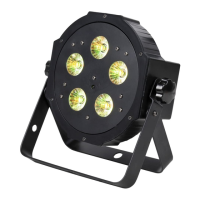
Details about the ADJ VPar as a DMX intelligent LED par fixture with various modes.
Information on how to contact ADJ Products for setup help or operational questions.
Warnings to reduce the risk of electrical shock, fire, and damage to the unit.
Information about the unit's automatic voltage switch for universal power compatibility.
Explanation of the DMX protocol for communication between fixtures and controllers.
Guidance on how to link multiple DMX fixtures together in a chain.
Details on the standard 3-pin XLR connectors for DMX data transmission.
Guidance on using cable terminators to avoid erratic behavior on long DMX runs.
Information on converting 5-pin DMX cables for use in a 3-pin DMX line.
Instructions to set the LED display to automatically turn off after 10 seconds.
How to flip the display 180 degrees for upside-down reading.
Overview of the five operating modes: Sound-Active, Static Color, Auto, RGBA Dimmer, DMX.
How to control the fixture using a DMX controller and select channel modes.
How to select static colors, adjust intensity, and activate strobing.
Procedure to reset the unit to its factory default settings.
Instructions for activating the infrared receiver for remote control usage.
How to link units together for synchronized operation in a master-slave setup.
Steps for connecting and setting up master-slave units using XLR cables.
Controls like Blackout, Flash, Speed, and +/- for basic fixture adjustments.
Buttons for selecting DMX modes, Sound/Slave modes, and built-in programs.
Setting the DMX address and adjusting RGBA LED brightness.
Instructions for configuring the fixture's DMX mode and address for controller use.
Detailed description of the 8 DMX channel modes and their specific functions.
How to select and adjust colors and intensity in RGBA Dimmer mode.
Operating the unit to react to sound and chase through different colors.
Using Color Fade, Color Change, and combined auto modes with speed adjustment.
How to select static colors, adjust intensity, and set flash rate.
Procedure to reset the unit to its factory default settings.
Activating the infrared receiver for remote control usage.
Linking units together for synchronized operation in a master-slave setup.
How to connect and set up master-slave units using XLR cables.
Explains the functions controlled by each channel in the 8-channel DMX mode.
How to connect multiple fixtures using IEC input and output sockets.
Step-by-step procedure for safely replacing the unit's fuse.
Solutions for common operational problems encountered with the unit.
Instructions for cleaning the fixture's lenses and casing to maintain light output.
 Power
Power| voltage | 100V ~ 240V/50~60Hz |
|---|---|
| power draw | 21W |
| fuse | 2 Amp |
 Lighting
| leds | 5 x 4W 4-in-1 LED’s |
|---|---|
| beam angle | 40 Degrees |
| colors | RGBA Color Mixing |
 Weight and Dimensions
| fixture weight | 3 lbs. / 1.2 Kgs. |
|---|---|
| system weight | 7 lbs. / 3 Kgs. |
| fixture dimensions | 9” (L) x 8.75” (W) x 9.5” (H) |
| vpar bag dimensions | 9” (L) x 8.75” (W) x 9.5” (H) |

 To Next Page