ADJ Products, LLC - www.adj.com - VPar Pak User Manual Page 20 ADJ Products, LLC - www.adj.com - VPar Pak User Manual Page 21
VPar Pak 8 Channel Mode
When Channel 7 is between the values of 0-51, Channels 1-4 are
used, and Channel 6 will control strobing.
When Channel 7 is between the values of 52-102, Channel 8 is in
Color Macros Mode, and Channel 6 will control strobing.
When Channel 7 is between the values of 103-153, Channel 8 is in
Color Change Mode, and Channel 6 will control the color change
speed.
When Channel 7 is between the values of 154-204, Channel 8 is
in Color Fade Mode, and Channel 6 will control the color fade
speed.
When Channel 7 is between the values of 205-255, Channel 8 is in
Sound Active Mode, and Channel 6 will control the sound sensi-
tivity.
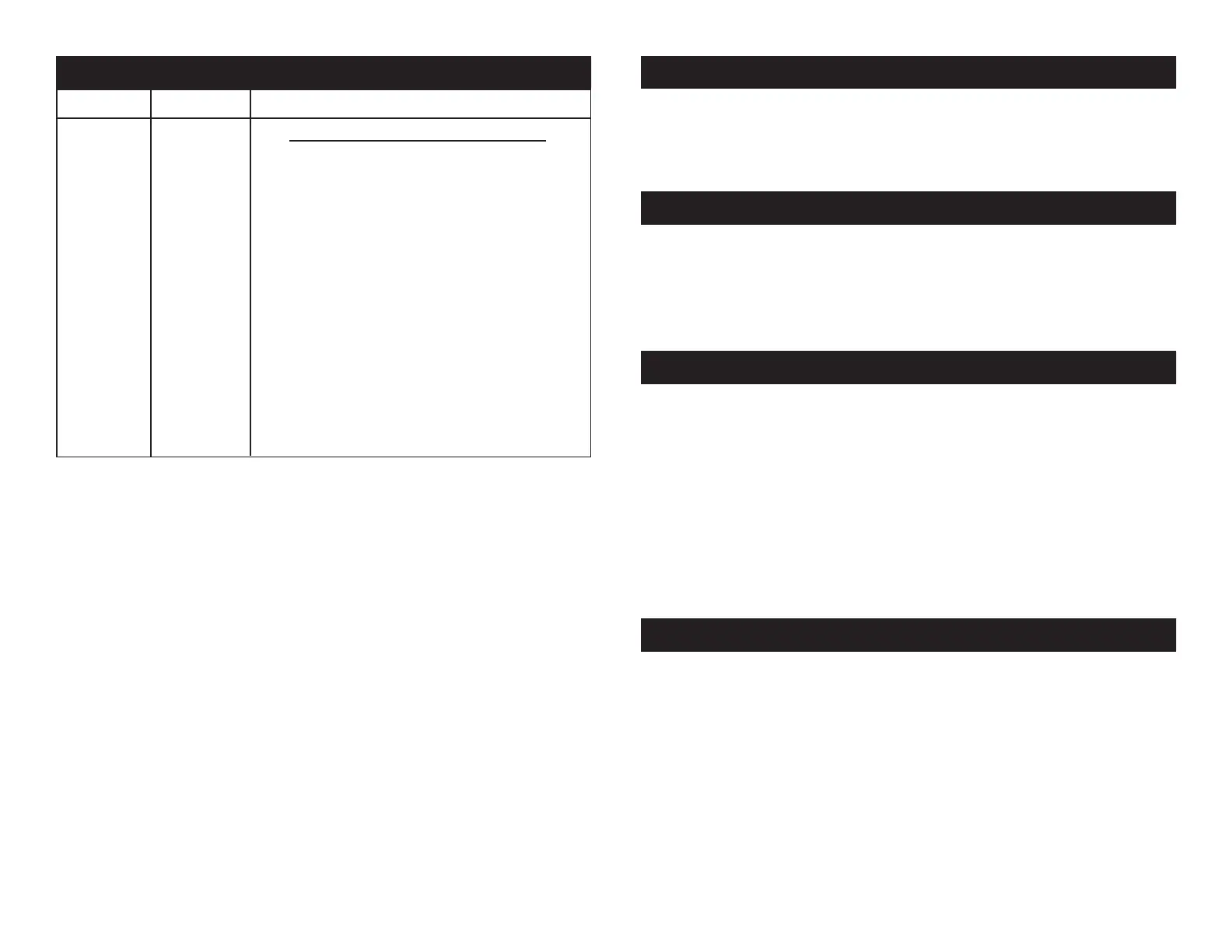
Channel Value Function
8 SOUND ACTIVE MODE CONT.
32 - 47 SOUND ACTIVE MODE 3
48 - 63 SOUND ACTIVE MODE 4
64 - 79 SOUND ACTIVE MODE 5
80 - 95 SOUND ACTIVE MODE 6
96 - 111 SOUND ACTIVE MODE 7
112 - 127 SOUND ACTIVE MODE 8
128 - 143 SOUND ACTIVE MODE 9
144 - 159 SOUND ACTIVE MODE 10
160 - 175 SOUND ACTIVE MODE 11
176 - 191 SOUND ACTIVE MODE 12
192 - 207 SOUND ACTIVE MODE 13
208 - 223 SOUND ACTIVE MODE 14
224 - 239 SOUND ACTIVE MODE 15
240 - 255 SOUND ACTIVE MODE 16
VPar Pak Trouble Shooting
Listed below are a few common problems the user may encounter,
with solutions.
Unit not responding to DMX:
1. Check that the DMX cables are connected properly and are
wired correctly (pin 3 is “hot”; on some other DMX devices
pin 2 may be ‘hot’). Also, check that all cables are connected
to the right connectors; it does matter which way the inputs
and outputs are connected.
Unit does not respond to sound:
1. Quiet or high pitched sounds will not activate the unit.
2. Make sure that Sound Active mode is activated.
VPar Pak Cleaning
Due to fog residue, smoke, and dust cleaning the internal and exter-
nal optical lenses must be carried out periodically to optimize light
output.
1. Use normal glass cleaner and a soft cloth to wipe down the
outside casing.
2. Clean the external optics with glass cleaner and a soft cloth
every 20 days.
3. Always be sure to dry all parts completely before plugging
the unit back in.
Cleaning frequency depends on the environment in which the fixture
operates (i.e. smoke, fog residue, dust, dew).
Disconnect the unit from its power source. Remove the power cord
from the unit. Once the cord has been removed, you will find that the
fuse holder is located inside the power socket. Insert a flat-head screw
driver into the power socket and gently pry out the fuse holder. Remove
the bad fuse and replace with a new one. The fuse holder also has a
holder for a spare fuse.
VPar Pak Fuse Replacement
With this feature you can connect the xtures to one another
using the IEC input and output sockets. The quantity that can be
connected is 30 xtures maximum. After 30 xtures you will need
to use a new power outlet. They must be the same xtures. DO
NOT mix xtures.
VPar Pak Power Cord Daisy Chain


 To Next Page