PAC USER MAN final 3/2/05 11:58 AM Page 13 @
OPERATIONiNSTRUCTiONS
°C °F
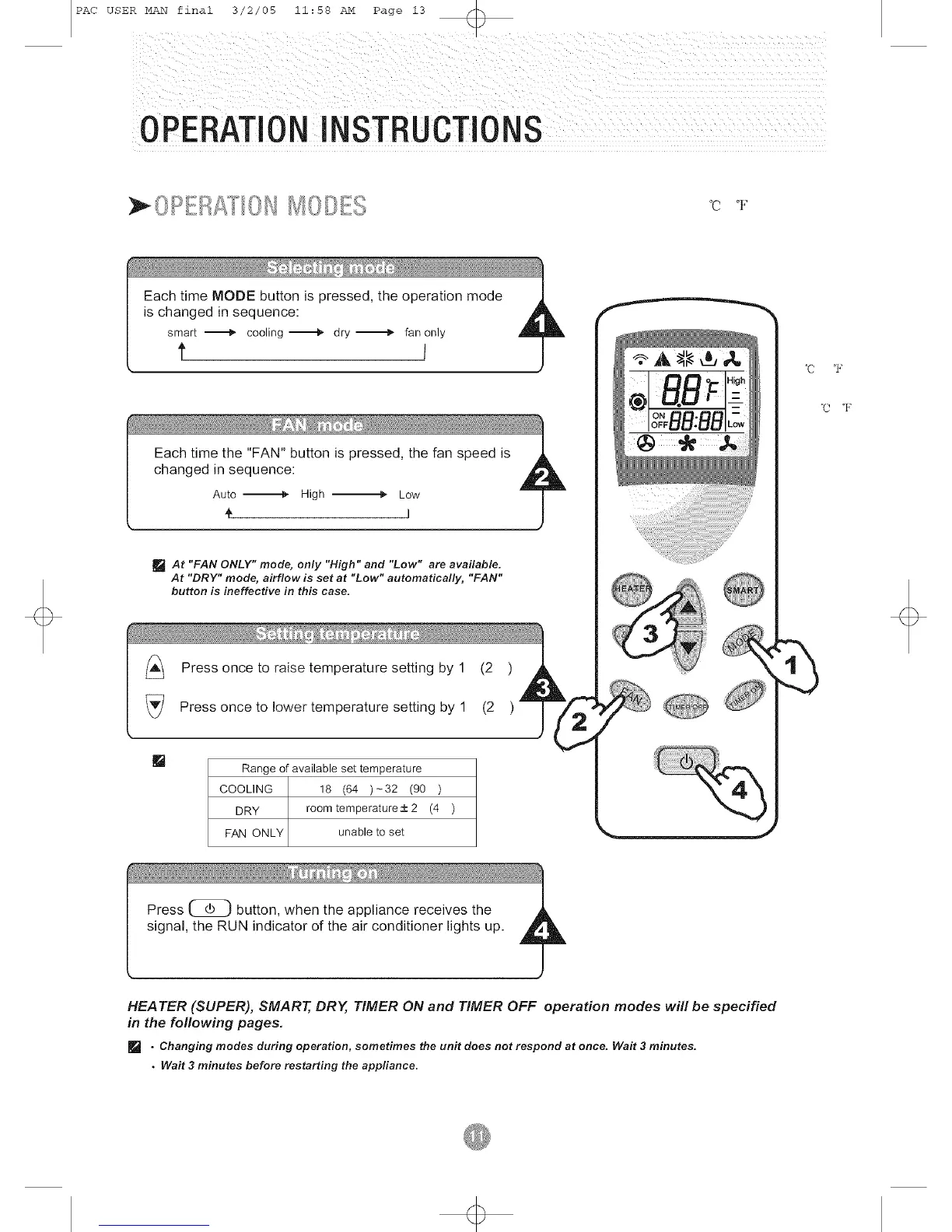
[] At "FAN ONLY" mode, only "High" and "Low" are available.
At "DRY" mode, airflow is set at "Low" automatically, "FAN"
button is ineffective in this case.
[]
Range of available set temperature
COOLING 18 (64)_32 (90)
DRY room temperature+2 (4 )
FAN ONLY unable to set
°C °F
°C °F
HEATER (SUPER), SMART, DRY, TIMER ON and TIMER OFF operation modes will be specified
in the following pages,
• Changing modes during operation, sometimes the unit does not respond at once. Wait 3 minutes.
• Wait 3 minutes before restarting the appliance.


 To Next Page