PAC USER MAN final 3/2/05 11:58 AM Page 8 O
REMOTECONTROLLER
0
0
0
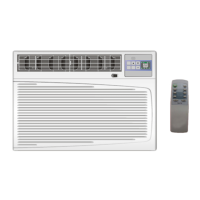
The remote controller transmits signals to the system.
0
ON/OFF BUTTON
The appliance will be started when it is
energized or will be stopped when it is
in operation, if you press this button.
_ MODE BUTTON
Used to select the operation mode.
FAN BUTTON
Used to select fan speed in sequence
auto, high, or low.
ROOM TEMPERATURE
SETTING BUTTONS
Used to select the room temperature.
Used to adjust the real time or set time.
_ SWING BUTTON
Used to adjust the direction of air flow.
SMART BUTTON
Used to enter fuzzy logic operation directly,
regardless of the unit is on or off.
TIMER ON BUTTON
Used to set or cancel the timer on operation.
TIMER OFF BUTTON
Used to set or cancel the timer off operation.
HEATER BUTTON
(For electrical heating model)
Used to select or cancel electrical heating mode.
SUPER BUTTON(For cooling model)
Used to start or stop the fast cooling.
Indication symbols on LCD:
Signal transmit. (_ Auto fan speed High
A Smart indicator _ High fan speed
qb
_ Cooling indicator _,l Low fan speed LOW
Dry indicator
_ Display set temperature
Fan only indicator
Used to regulate temperature
in Smart mode or Dry mode
(See page 9 "Smart Mode"
for details)
OFFOO IJIJoN _.13_ Indicator of Timer on and Timer off
Display real time
Note:l. Each mode and relevant function will be further specified in following pages.
2.All functions can be realized in control panel except three buttons:SUPER, SMART and SWING.
3.If the • • Buttons are pressed at the same time, the temperature LED display will alternate between and


 To Next Page