PAC USER MAN final 3/2/05 11:58 AM Page 17 O
OPERATIONiNSTRUCTiONS
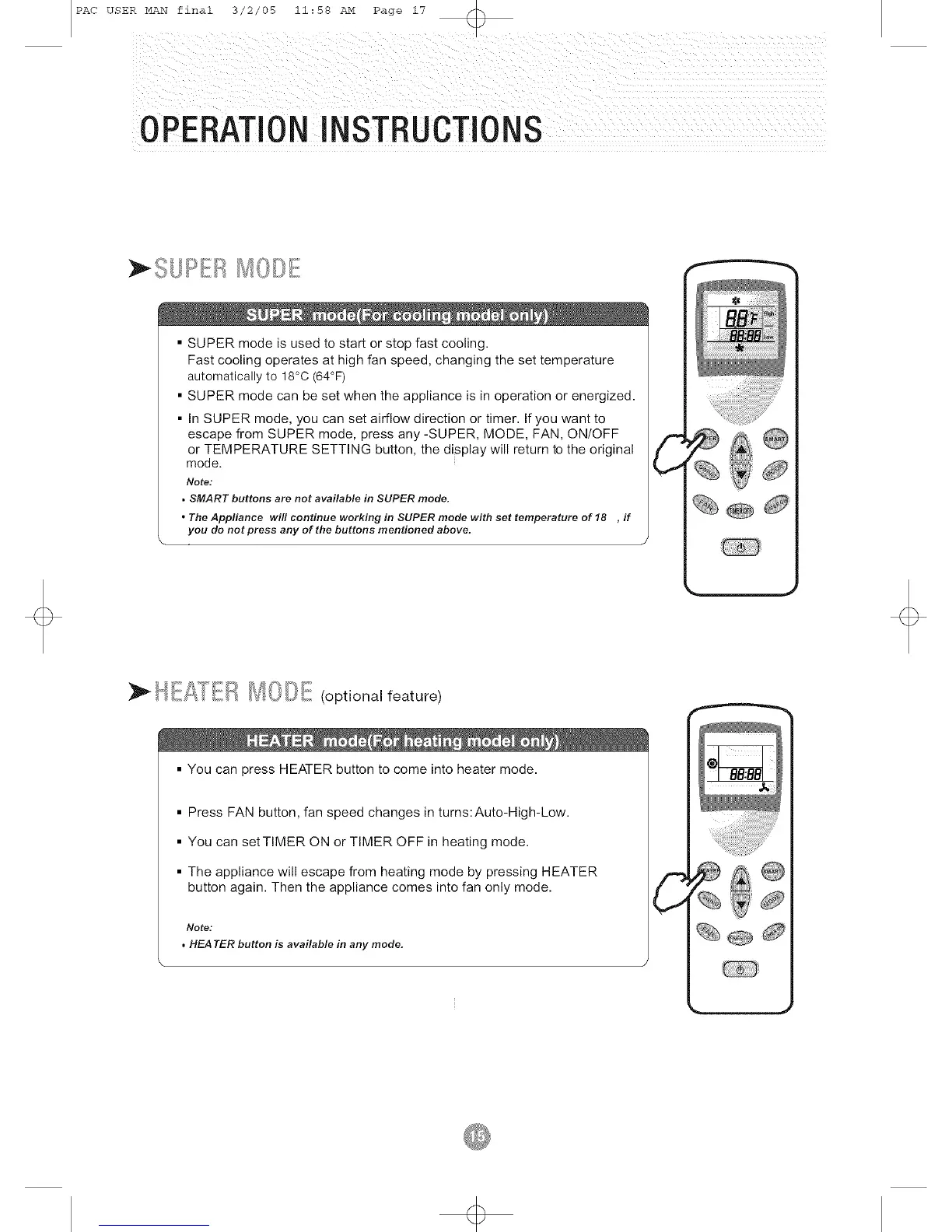
• SUPER mode is used to start or stop fast cooling.
Fast cooling operates at high fan speed, changing the set temperature
automatically to 18°C (64°F)
• SUPER mode can be set when the appliance is in operation or energized.
• in SUPER mode, you can set airflow direction or timer. If you want to
escape from SUPER mode, press any -SUPER, MODE, FAN, ON/OFF
or TEMPERATURE SETTING button, the display will return to the original
mode.
Note:
• SMART buttons are not available in SUPER mode.
• The Appliance will continue working in SUPER mode with set temperature of 18 , if
you do not press any of the buttons mentioned above.
\ Y
C
_"_:"" I_1_ _'oo I_,f_t(l['t_ , (optional feature)
• You can press HEATER button to come into heater mode.
• Press FAN button, fan speed changes in turns:Auto-High-Low.
• You can set TIMER ON or TIMER OFF in heating mode.
• The appliance will escape from heating mode by pressing HEATER
button again. Then the appliance comes into fan only mode.
Note:
, HEATER button is available in any mode.
\
% @


 To Next Page