ADOBE AUDITION 3.0
User Guide
185
See also
“Mute and solo tracks” on page 184
“Applying effects in Multitrack View” on page 107
“Automating mixes” on page 203
Track routing and EQ controls
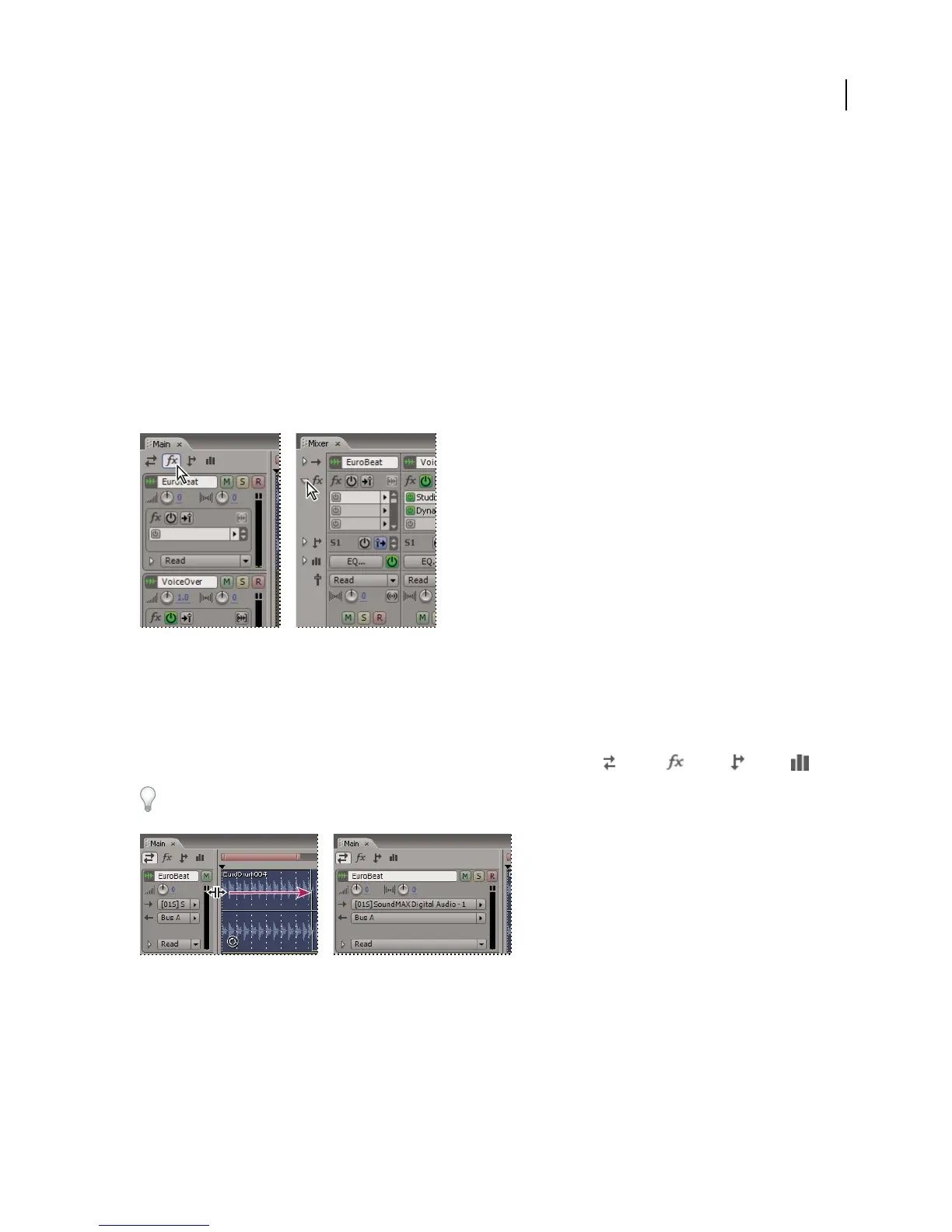
Show or hide track routing and EQ controls
Although the wide variety of routing and EQ controls may seem intimidating at first, the controls for each track are
identical, so once you’ve learned one, you’ve learned them all.
Showing and hiding sets of audio track controls
A. Main panel B. Mixer
❖ Do either of the following:
• On the left side of the Mixer, click the Show/Hide triangle for one or more sets of controls.
•
In the upper left corner of the Main panel, click the button for Inputs/Outputs , Effects , Sends , or EQ .
In the Main panel, drag the right or bottom border in the track controls to show more or less detail.
Dragging the right border of the track controls to reveal more or less detail
See also
“Vertically zoom an individual track” on page 183
BA



 To Next Page