ADOBE AUDITION 3.0
User Guide
24
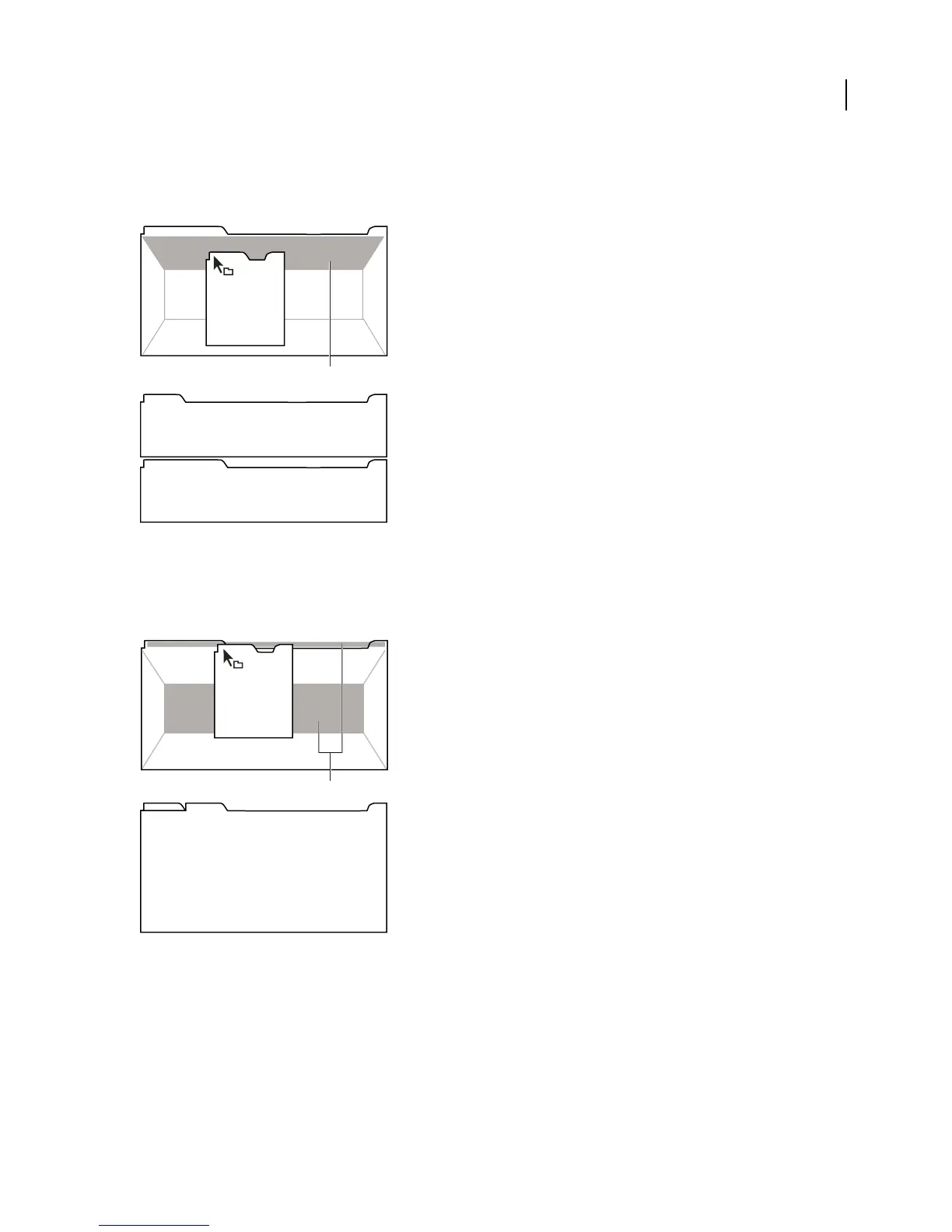
Docking zones
Docking zones exist along the edges of a panel, group, or window. Docking a panel places it adjacent to the existing
group, resizing all groups to accommodate the new panel.
Dragging panel (A) onto docking zone (B) to dock it (C)
Grouping zones
Groupingzonesexistinthemiddleofapanelorgroup,andalongthetabareaofpanels.Groupingapanelstacksit
with other panels.
Dragging panel (A) onto grouping zone (B) to group it with existing panels (C)
Dock or group panels
1
If the panel you want to dock or group is not visible, choose it from the Window menu.
2 Do one of the following:
•
To move an individual panel, drag the gripper area in the upper-left corner of a panel’s tab onto the desired drop zone.
C
B
A
C
B
A



 To Next Page