ADOBE FRAMEMAKER 10
MIF Reference
107
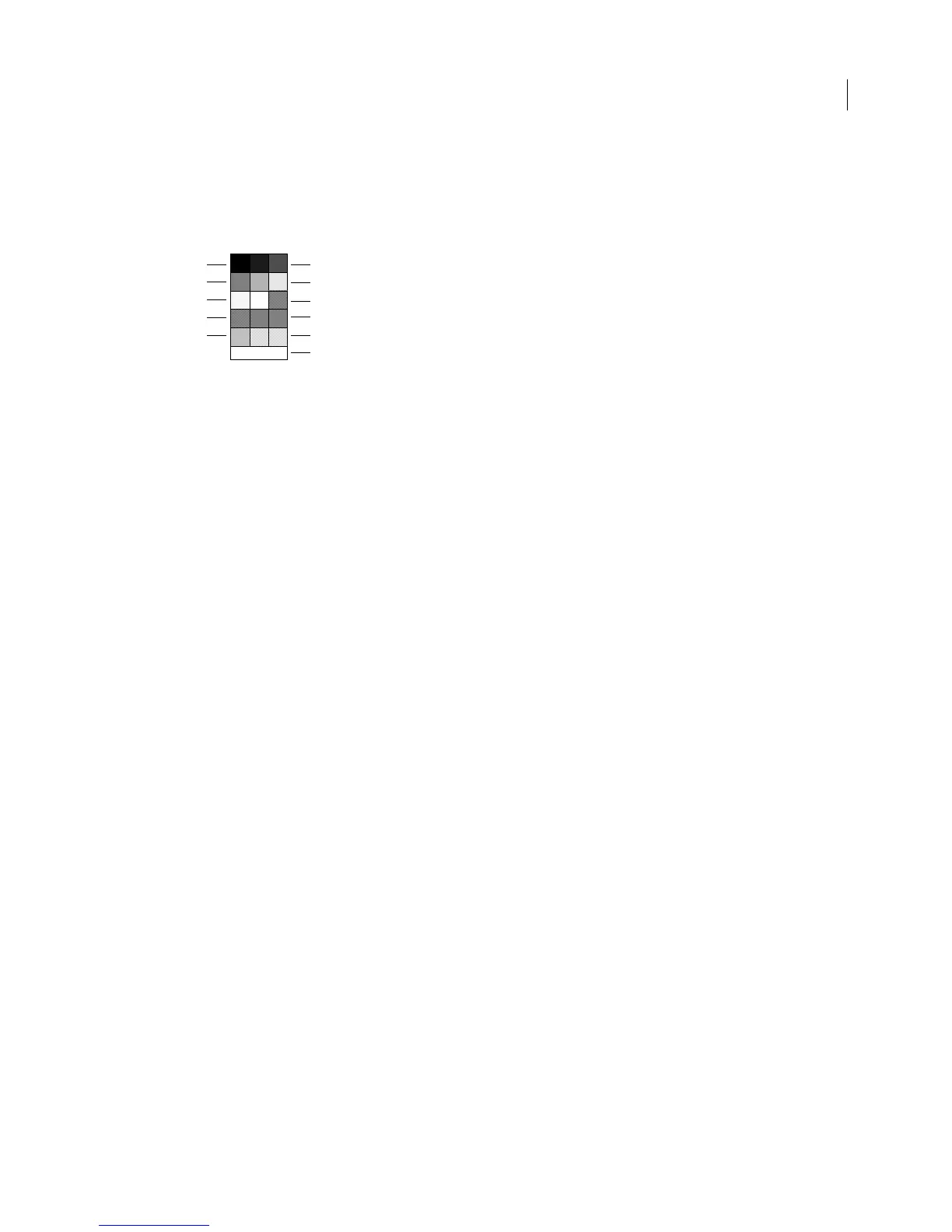
Values for Pen and Fill statements
Values for the Pen and Fill statements refer to selections in the Tools palette. Graphics can use all the Pen and Fill
values illustrated below. Ruling lines and table shadings use only the first seven pen/fill values and
15 (none). The
pen and fill patterns might look different on your system.
Each Pen, Fill, or PenWidth substatement resets the MIF interpreter’s corresponding current value. If an
Object
statement doesn’t include one of these statements, the MIF interpreter uses the current default value for the object
data.
In a FrameMaker document, patterns aren’t associated directly with a document, but with FrameMaker itself. Each
FrameMaker document contains indexes to FrameMaker patterns. You cannot define document patterns in MIF;
you can only specify the values 0–15. However, you can customize a UNIX or Windows version of FrameMaker to
use patterns that differ from the standard set. For information, see the online manuals Customizing FrameMaker for
UNIX and Working on Multiple Platfor ms for Windows.
Values for the Angle and ReRotateAngle statements
The Angle statement specifies the number of degrees by which an object is rotated before it is printed or displayed.
In a FrameMaker document, you can rotate an object in either a counterclockwise or clockwise direction. In a MIF
file, the rotation angle is always measured in a counterclockwise direction.
An object without an
Angle statement has an angle of 0 degrees. If an object has a ReRotateAngle statement, it
specifies the angle to use when Esc g 0 (zero) is used to return the object to a previous rotation angle. An object with
a
ReRotateAngle statement must have an angle of 0 degrees.
The
Angle and ReRotateAngle statements are mutually exclusive. When the MIF interpreter reads an Angle
statement with a nonzero value, it sets the value of the
ReRotateAngle statement to 0. When it reads a ReRotate-
Angle
statement with a nonzero value, it sets Angle to 0. Thus, if an object has both statements, the MIF interpreter
keeps the state of the most recently read statement.
Objects do not inherit rotation angles from other objects.
FrameMaker rotates objects as follows:
• Polygons, polylines, and Bezier curves are rotated around the center of the edge mass.
• Text lines are rotated around the TLOrigin point.
• Arcs are rotated around the center of the bounding rectangle of the arc, not the bounding rectangle of the under-
lying ellipse. The bounding rectangle is the smallest rectangle that encloses an object. See your user’s manual for more
information about rotation.
• Other objects are rotated around the center of the object.
Pen/Fill Patterns in Tools palette
15
14
2
5
8
11
Pen/Fill 0
12
3
6
9
None



 To Next Page