ADOBE FRAMEMAKER 10
MIF Reference
20
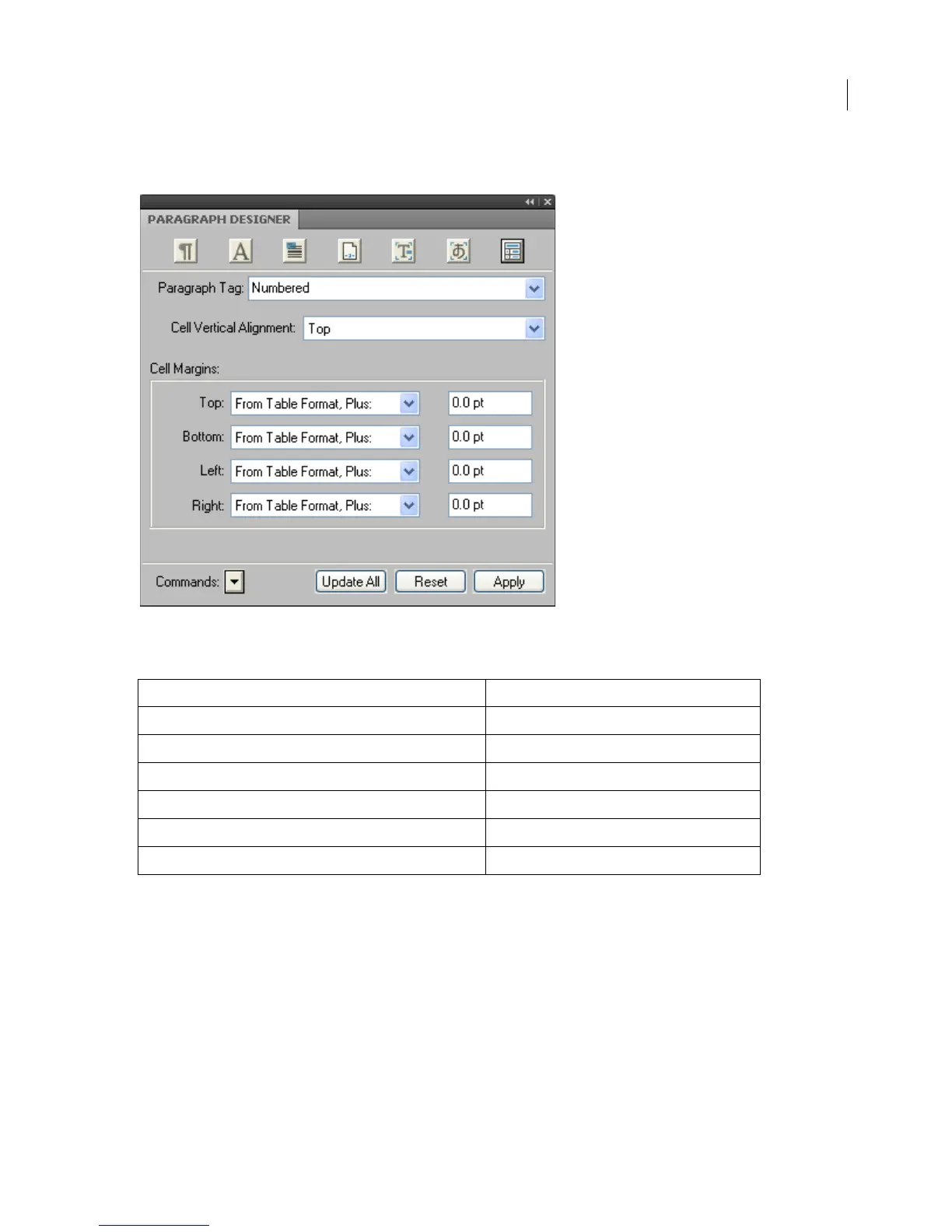
The Table Cell properties are defined as follows in the Paragraph Designer.
Table cell properties
The following table shows the corresponding MIF statements:
Adding a Paragraph Catalog
In a MIF file, you define a Paragraph Catalog by using a PgfCatalog statement. The Paragraph Catalog contains one
or more paragraph formats, which are defined by
Pgf statements. A PgfCatalog statement looks like this:
<PgfCatalog
<Pgf…> # A paragraph format description
<Pgf…> # More paragraph formats
> # end of PgfCatalog
The Pgf statement describes a complete paragraph format. For example, the sample file pgfcat.mif stores the
paragraph format 1Heading in the Paragraph Catalog:
<MIFFile 8.00> # Hand generated
In MIF file In Paragraph Designer
<PgfCellAlignment Top >
Cell Vertical Alignment
<PgfCellMargins 0.0 pt 0.0 pt 0.0 pt 0.0 pt>
Cell Margins
<PgfCellTMarginFixed No >
Top
<PgfCellBMarginFixed No >
Bottom
<PgfCellLMarginFixed No >
Left
<PgfCellRMarginFixed No >
Right



 To Next Page