ADOBE FRAMEMAKER 10
MIF Reference
32
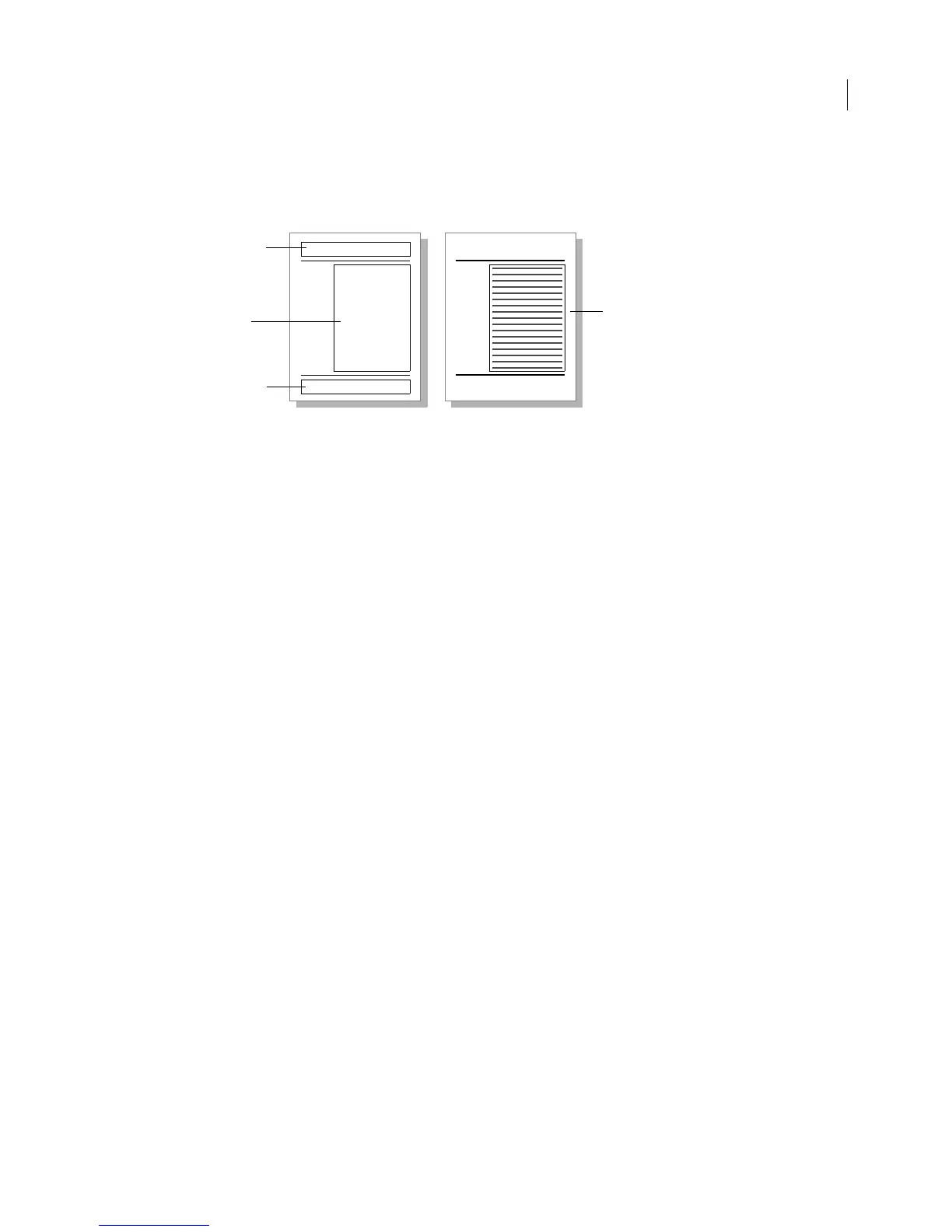
Body pages contain the text and graphics that form the content of the document. Master pages control the layout of
body pages. Each body page is associated with one master page, which specifies the number, size, and placement of
the page’s text frames and the page background, such as headers, footers, and graphics.
Text frames define the layout of the document’s text on a page. A text frame can arrange text in one or more columns.
In MIF, a text frame is represented by a
TextRect statement. The dimensions of the text frame and the number of
columns in the text frame are specified by substatements under the
TextRect statement.
A text flow describes the text contained in one or more text frames. In MIF, a text flow is represented by a
TextFlow
statement. The actual text of the document is specified by substatements under the
TextFlow statement.
If the text flow has the autoconnect property (if the text flow uses the MIF statement
<TFAutoConnect Yes>), the
text flow runs through a series of text frames; when you fill up one text frame, text continues into the next text frame.
Most documents have only one text flow, although you can create many separate flows.
FrameMaker provides a default right master page for single-sided documents and default right and left master pages
for double-sided documents. A MIF file can either use the default page layout or provide a custom layout.
Using the default layout
If you don’t need to control the page layout of a document, you can use the default page layout by putting all of the
document’s text into a
TextFlow statement. When reading the file, the MIF interpreter creates default master pages
and body pages. The MIF file creates a single-column text frame for the body pages to contain the document’s text.
The MIF interpreter associates the text flow with this text frame.
The following example is in the sample file
defpage.mif:
<MIFFile 8.00> # Hand generated
<TextFlow # All document text is in this text flow.
<TFTag `A'> # Make this a tagged text flow.
<TFAutoConnect Yes> # Automatically connect text frames.
<Para
<ParaLine
<String `This paragraph appears on a body page within a'>
<String ` text flow tagged A.'>
> # end of ParaLine
> # end of Para
> # end of TextFlow
# End of MIFFile
A text flow must be tagged, and it must include <TFAutoConnect Yes>; otherwise, when the user adds text to the
document, FrameMaker won’t create additional pages and text frames to hold the added text.
Untagged
background text
frame
Tagged template
text frame
On body pages, you type in a
column of a tagged text frame.
Untagged
background text
frame
Master page Body page



 To Next Page