FA700KP-ADS Setup (Cont'd)
53
SCREEN ACTION
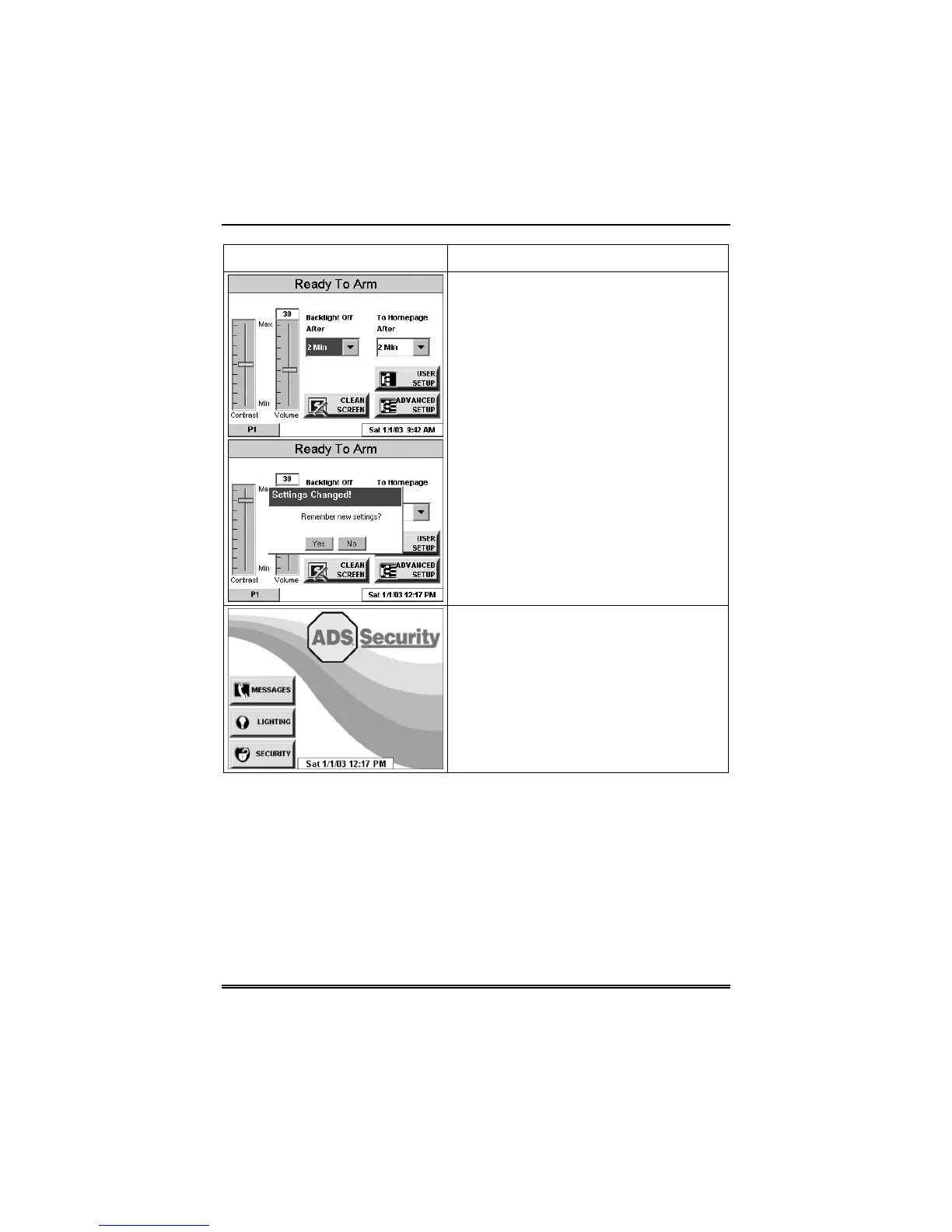
3. Press either the "Home" or "Back"
button. A Settings Changed! pop-up
window is displayed asking “Settings
Changed! Remember New Settings?“
Select Yes to save the change or No to
discard the change.
When the Update is complete the
FA700KP-ADS goes to the "Home"
screen or "More Choices" screen
depending on whether you pressed the
"Home" or "Back" button, respectively
("Home" screen shown).



 To Next Page