Security System Operation (Cont'd)
15
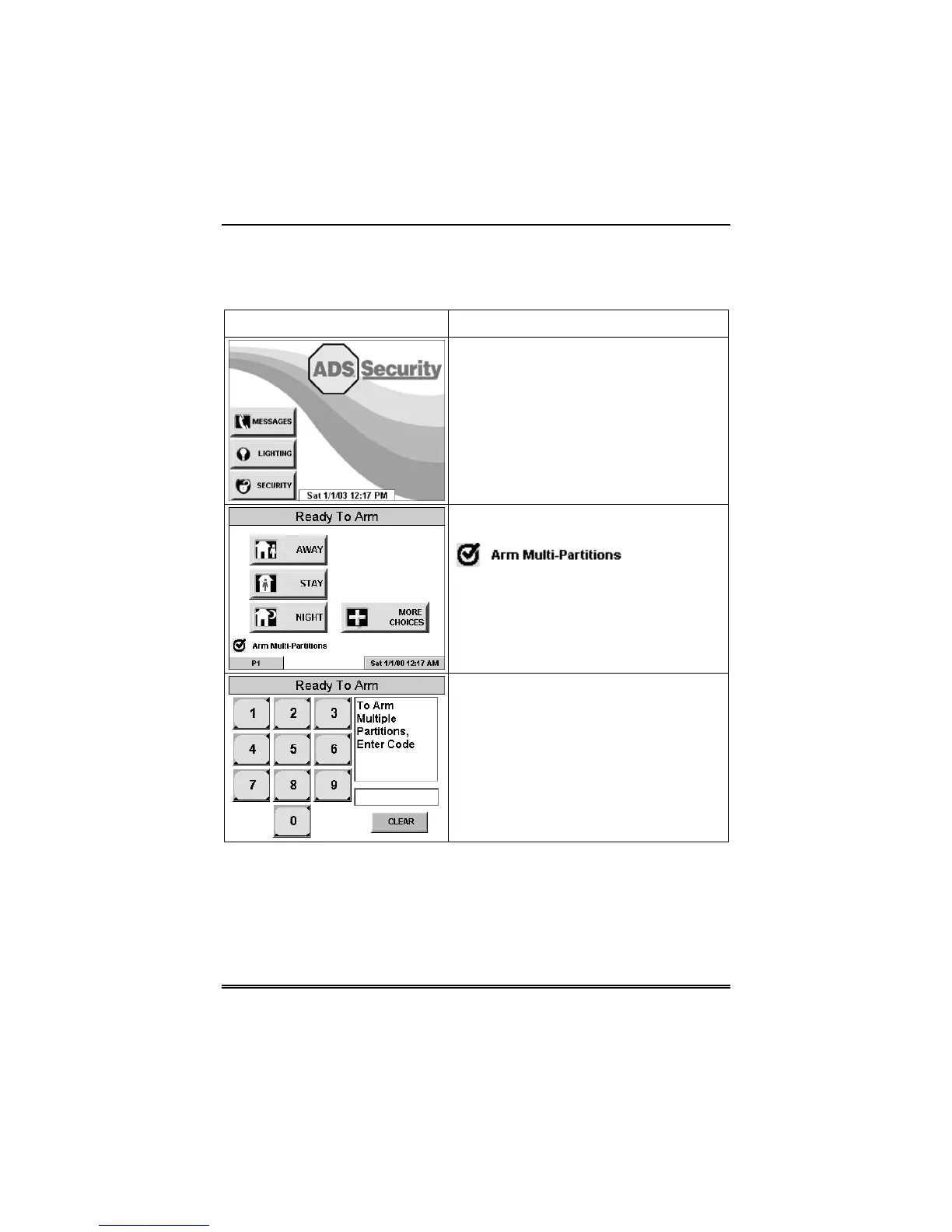
How to Arm Multiple Partitions
To arm multiple partitions:
SCREEN ACTION
1. From the "Home" screen press the
SECURITY button to display the "Arming"
screen.
2. Make certain the Multi-Partitions button
is checked.
3. Press the appropriate arming mode
button.
4. When prompted, enter the user code
authorized to access other partition(s).



 To Next Page