ITC8113 / TabX® 22
© ads-tec Industrial IT GmbH • Heinrich-Hertz-Str. 1 • 72622 Nürtingen • Germany
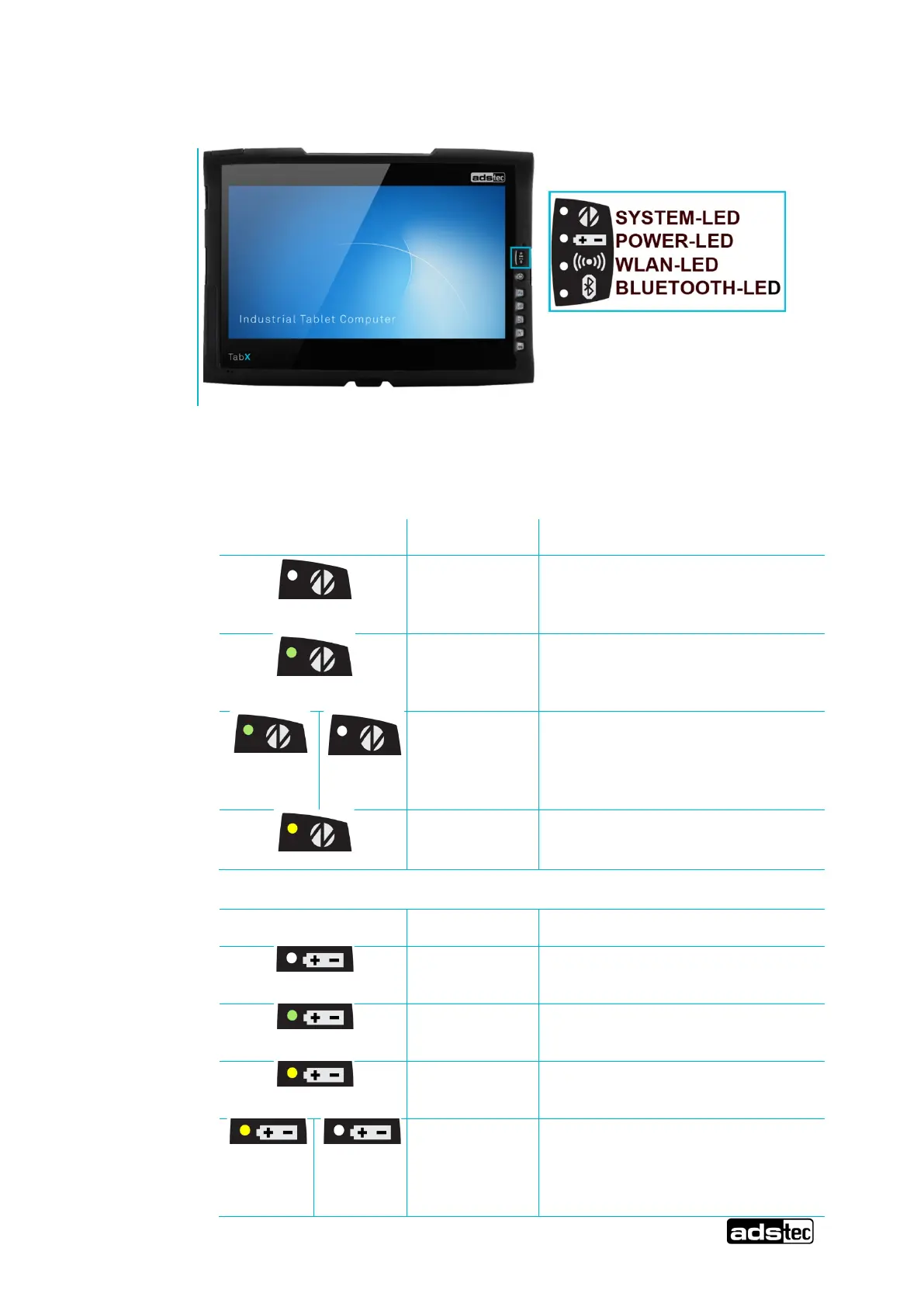
5.3 Front status LEDs
The device is equipped with various status LEDs on the front.
These LEDs indicate current events such as system activity, battery state, and
WLAN and Bluetooth activity.
Device is not connected to any
voltage source (power
supply/battery)
Device is connected to a power
source (power supply/battery) and
switched on.
The device is in suspend mode
(mode can be set via the operating
system, reactivation via the power
button)
Device accesses the mass storage
device
Device is not connected to a voltage
source
Device is supplied with charged
battery
Device is supplied with external
voltage
Stick-style batteries are being
charged
(The device must be connected to a
voltage source (power adapter))



 To Next Page