Part Setting Your System
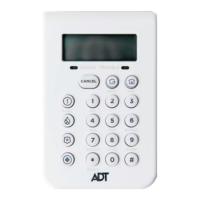
Your alarm System can be Part Set using the B key. To Part Set the System enter
your User Code then press the B key. The Keypad then displays the Set/Unset status
ofthosepartsassignedtoyourcode,seeFigure2PartSettingOptions.
Step 1
Part Set options for user code with Parts 1 and 3 assigned. Part 1 is unset, Part 3 is
set.
ThePartsmarked‘ON’areSet,thosemarked‘OFF’areUnset.Toaltertheset/unset
status of a Part press the number corresponding to that part, that is, pressing the 1
key toggles the set status of Part 1 between set/unset.
The equals sign denotes that what is displayed beside the Part number is the current
statusofthePart,thatis,P1=ONdenotesthatPart1iscurrentlyset.Pressingthe1
key will cause the display to read P1
*
OFF,thismeansthatPart1isnowprovisionally
programmed as Unset.
The actual set status of the part will not be altered until the ent key is pressed to
accept the programming.
Oncetheentkeyhasbeenpressedleavethebuildingusingtheagreedexitroute.
Closeandlockthenalexitdoorandthenoperatetheexitterminator;thehorn
outputs and the Keypad buzzers become silent for four seconds, the countdown
blocks on the Keypad display all clear and the Keypad buzzers emit two long tones to
conrmthattheSystemisset.OntheKeypadthemessageSystemISSETappears
before the display goes blank. The setting routine can be aborted, before the System
sets, by pressing the esc key on the Keypad used to initiate the setting routine.
Note: If the Silent Part Set facility has been enabled only the Keypad display
indicates the setting status, that is, no audible tones are emitted.
SELECTP1=OFF
P3
*
ON
2


 To Next Page