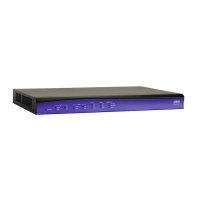
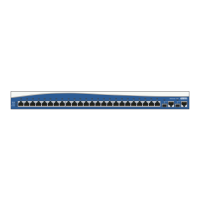
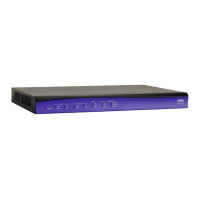
NetVanta 3200/3300/3400 Series Physical Descriptions
61200860L1-34AB Copyright © 2012 ADTRAN, Inc. 23
• User-friendly, Web-based graphical user interface (GUI)
• Standards-based eBGP/iBGP, OSPF, RIP, static routing and bridging protocols
• Integral stateful inspection firewall protects against denial of service (DoS) attacks
• Quality of service (QoS) with low latency queuing (LLQ), weighted fair queuing (WFQ), class-based
weighted fair queuing (CBWFQ), and DiffServ marking
• Built-in alert and logging mechanisms
• Network address translation (NAT/NAPT), 1:1 NAT port translation, and NAT Traversal version 2
• NAT-compliant SIP ALG
• DHCP client, server, and relay
• XAUTH including RADIUS and RSA SecurID
• AAA support using local user database, RADIUS, and TACACS+
• Flash memory supports multiple images of AOS
• Remotely configurable and field upgradeable using TFTP or FTP
• Telnet, HTTP, SSH, or SNMP management options
• SNMP management
• n-Command network management
• Integrated EIA-232 DCE configuration port (DB-9)
• Optional dial backup (ISDN BRI DIM, ISDN S/T DIM, or analog modem DIM)
• Front panel LEDs
• Size: 17.25-inch W x 1.26-inch H x 7.75-inch D
• AC Power Requirements: 6 W maximum, 60 mA (regardless of configuration)
• Operating Temperature: 0°C to 50°C
• RoHS compliant (Telecommunications exemption)
Network Interface Modules and Dial Backup Interface Modules Supported
The NetVanta 3305 supports a variety of interchangeable NIMs and DIMs. The NIMs available for the
NetVanta 3305 provide a variety of WAN connectivity options including the following:
•56K/64K (DDS)
• T1/FT1
• T1/FT1 + DSX-1
•Dual T1
• E1/FE1
• E1/FE1 + G.703
• Serial (V.35/X.21/EIA 530)
• SHDSL, Annex A and Annex B
• ADSL, Annex A and Annex B
•USB WWAN
If needed, an analog modem, ISDN BRI U, or ISDN BRI S/T DIM can plug onto the NIM, providing dial
backup capability. Refer to Installing Dial Backup and Network Interface Modules on page 74 for more
details.
Refer to Using a USB Cellular Modem with the NetVanta USB WWAN NIM on page 76 for details on
installing and removing a USB cellular modem from the USB WWAN NIM.



 To Next Page
 Loading...