14 15
Program Works Best For... Signal
1) Normal
Everyday
Most Situations, Around The House,
Speaking 1 on 1, On The Phone, Watching
TV, Family Time
1 Beep
2) Noise
Reduction
Noisy Situations, Social Settings,
Restaurants, Small Groups, Church, Time
With Friends
2 Beeps
3)Television
Extra Help Watching TV, Also In
Moderately Noisy Situations
3 Beeps
4) Feedback
Control
Added Volume While Reducing
Feedback, Using Telephone
4 Beeps
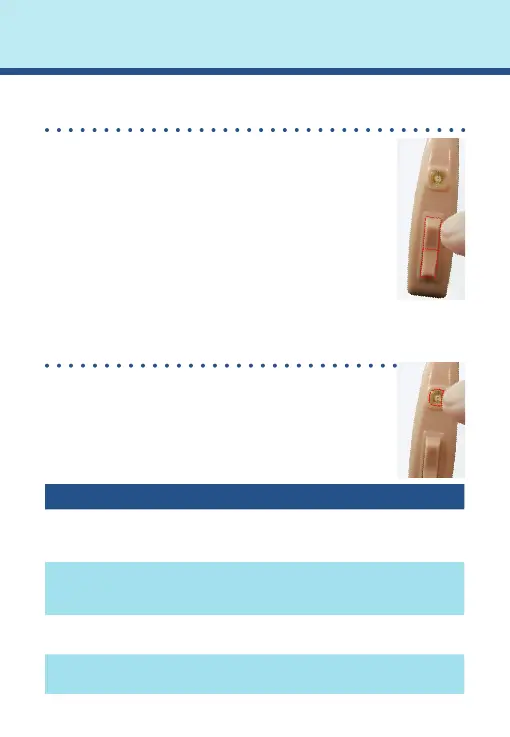
How To Adjust Volume
To adjust the volume, briey push and release
the rocker switch. Each short press changes the
volume slightly.
•To increase the volume, press and quickly
release the top half of the rocker switch.
•To decrease the volume, press and quickly
release the bottom half of the rocker switch.
For every increase or decrease in volume, you will
hear a beep.
How To Change Programs
By quickly pressing the Program Button, your
HCR3 will switch between 4 preprogrammed
settings. You’ll either hear 1, 2, 3 or 4 beeps. The
HCR3 will maintain previous program/volume
settings when turned off and back on.
Volume and Program Settings



 To Next Page
 Loading...