Android Devices
To start downloading items on the Google Play Store app, you need to add
a Google Account to your device.
Here's how to add a Google Account to your device:
1. Open your device's main Settings menu.
2. Under "Accounts", touch + Add account.
3. Select Google.
4. Choose Existing (if you want to add an account you already have)
or New (if you wish to create a new one).
5. Follow the instructions to add your account.
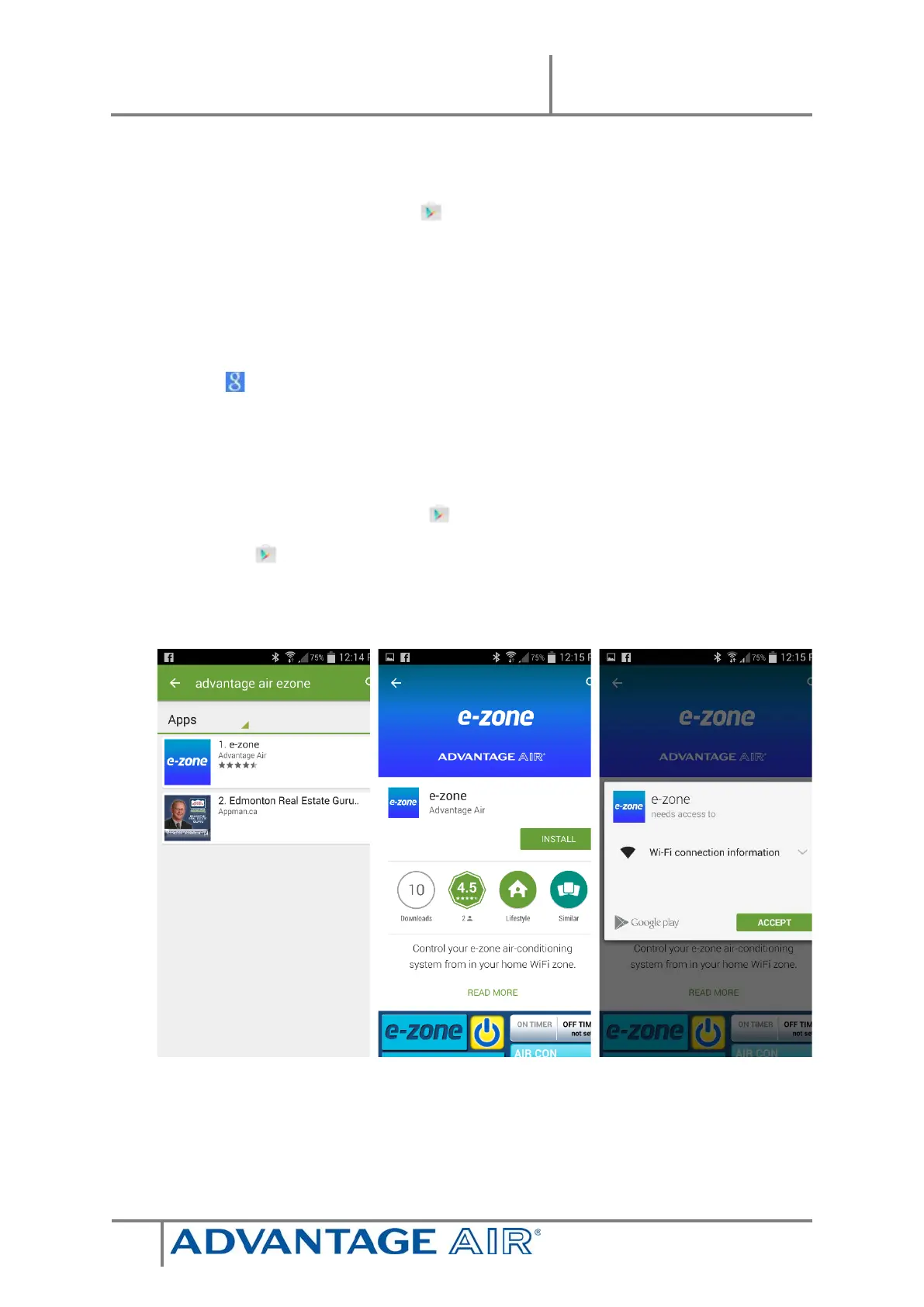
Download the e-zone App from the Google Play Store.
1. Open the Google Play Store app.
2. Search for “Advantage Air e-zone”
zone app.
s Free).
r reviewing the


 To Next Page