HOME
Upon first power up, the system will take up to 3 minutes to initialise.
If you walk away from your screen, it will go to sleep, to wake the screen press
the button on the left-hand side of the screen.
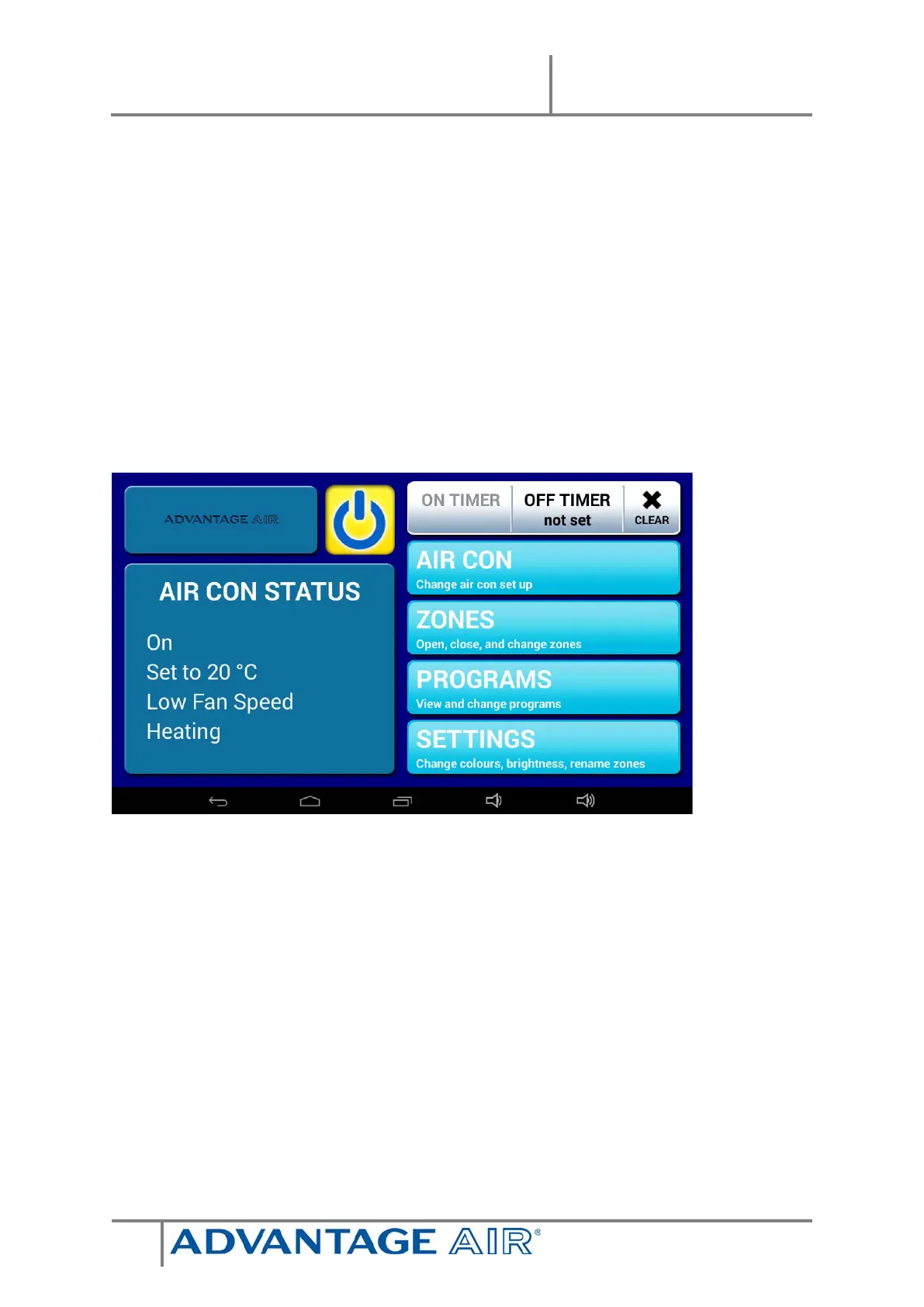
The AIR CON STATUS window conveniently displays information about your air
conditioner’s status right on the home screen.
Your home screen will look like this, easy to read & intuitive; the large power
button is used to turn your Air Conditioner ON or OFF.
HANDY HINT: To move between HOME, AIRCON & ZONES, simply swipe left or
right.
SIMPLE TIMER
The e-zone system features a SIMPLE TIMER, which you can use to have your air
conditioning system turn ON or OFF after 30minutes, 1 hour or 2 hours.
Note: This is a once-only time that does not repeat each day. More advanced
programs can be set using the PROGRAMS menu.


 To Next Page