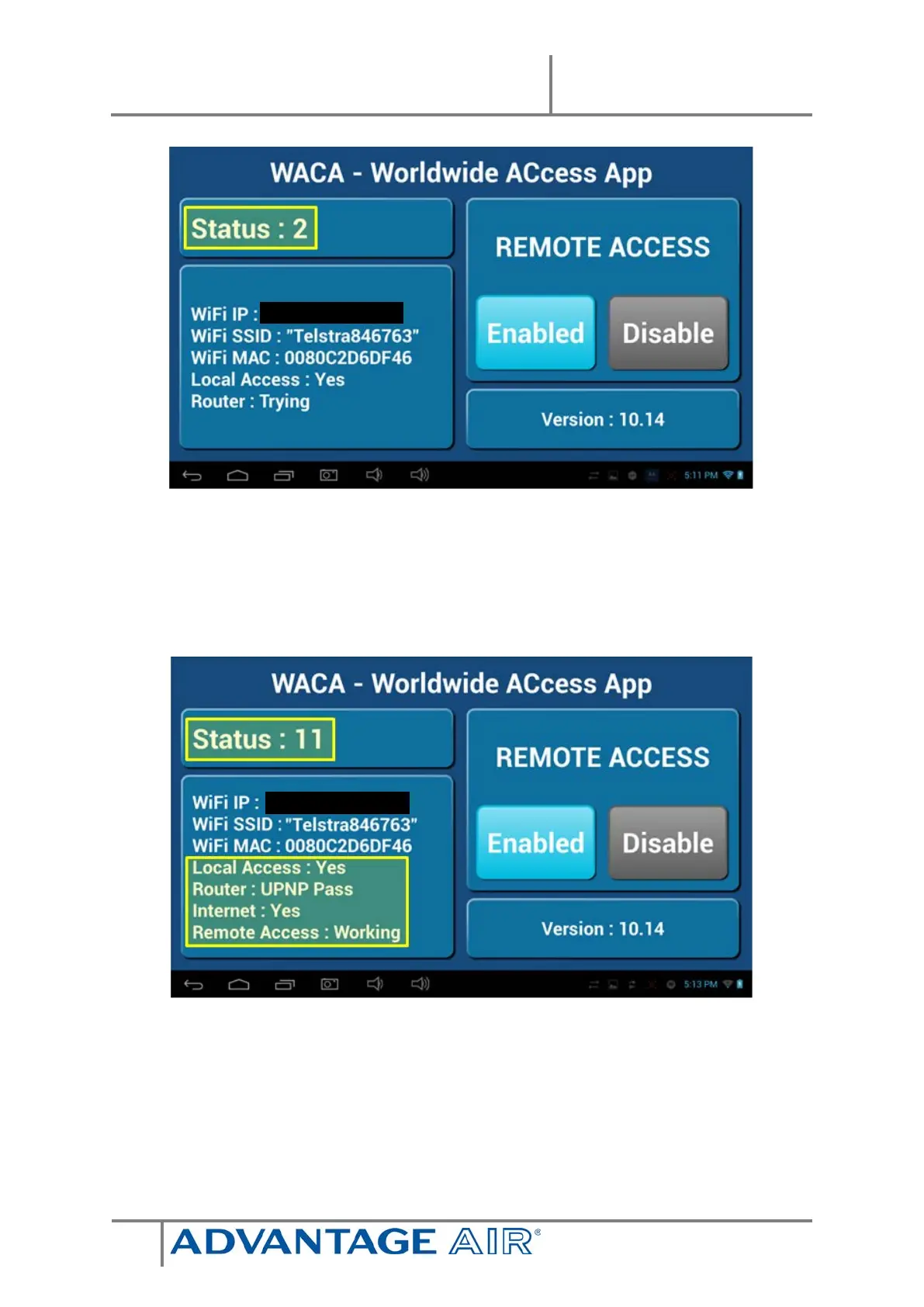
6. Whilst your system is enabling remote access you will notice the status
will change numerous times when remote access is successful the status
should change to STATUS: 5, 8 or 11, if your status is something else wait
or refer to troubleshooting guide below (please wait 10 minutes first).
7. When STATUS: 5, 8 or 11 are displayed remote access has been
successfully configured.
8. Open the e-zone app on your Android /Apple device whilst it is
connected to your home Wi-Fi network to pair your air conditioner with
the phone/tablet then close the app. NOTE: There is no pairing button –


 To Next Page