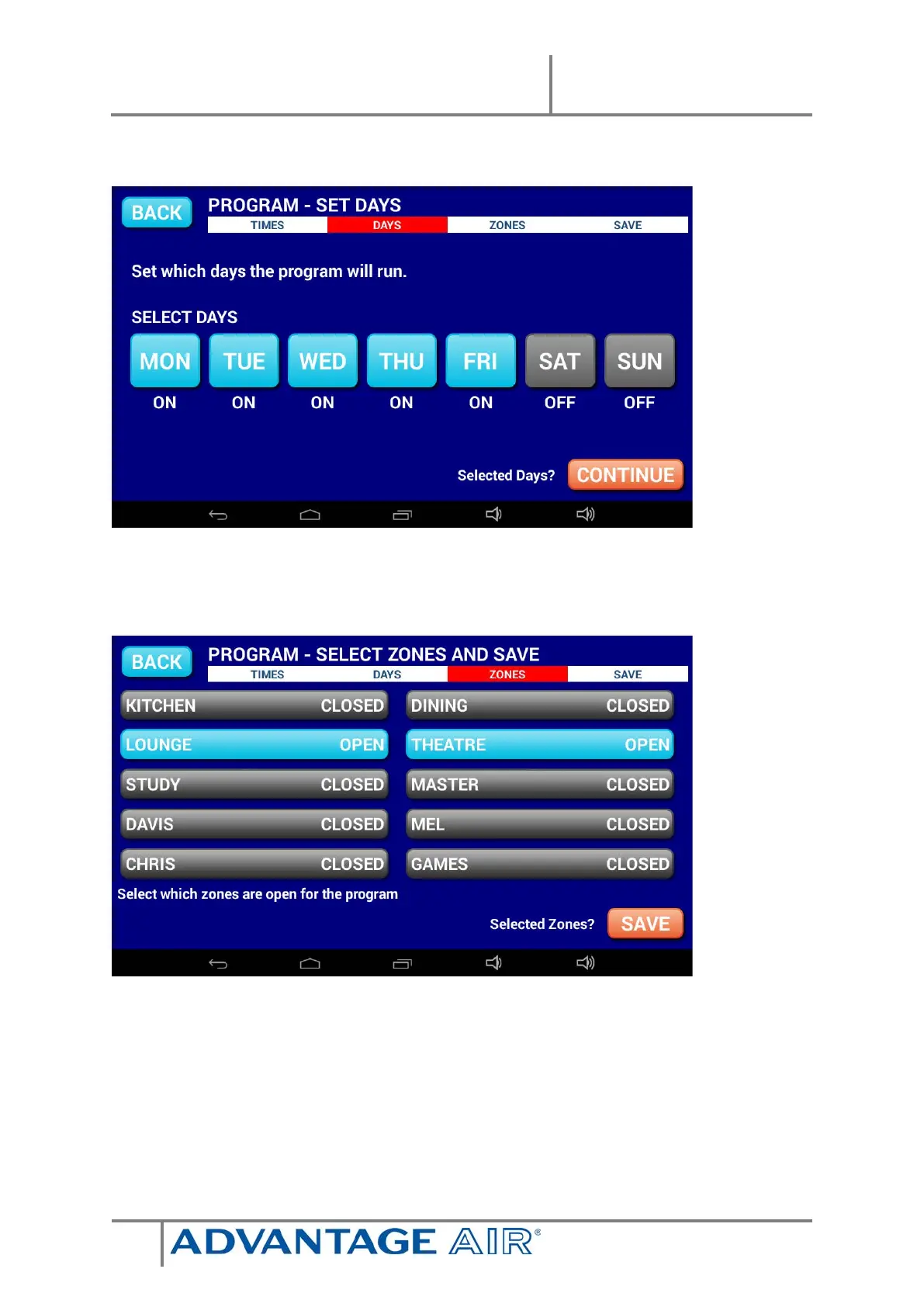
Press NEXT to continue to the following screen:
Select the days for the program to run.
Press NEXT to continue to the ZONE selection screen:
Select the zones you would like ON during the program when finished press
SAVE to return to the PROGRAMS LIST.
Note: Your system will start in its current MODE eg If the system was last used
for COOLING the program will begin in that mode. A zone selected as ON during
a program will default to its previous percentage air volume setting or
temperature setting if you have ITC sensors.


 To Next Page