15 Chapter 2
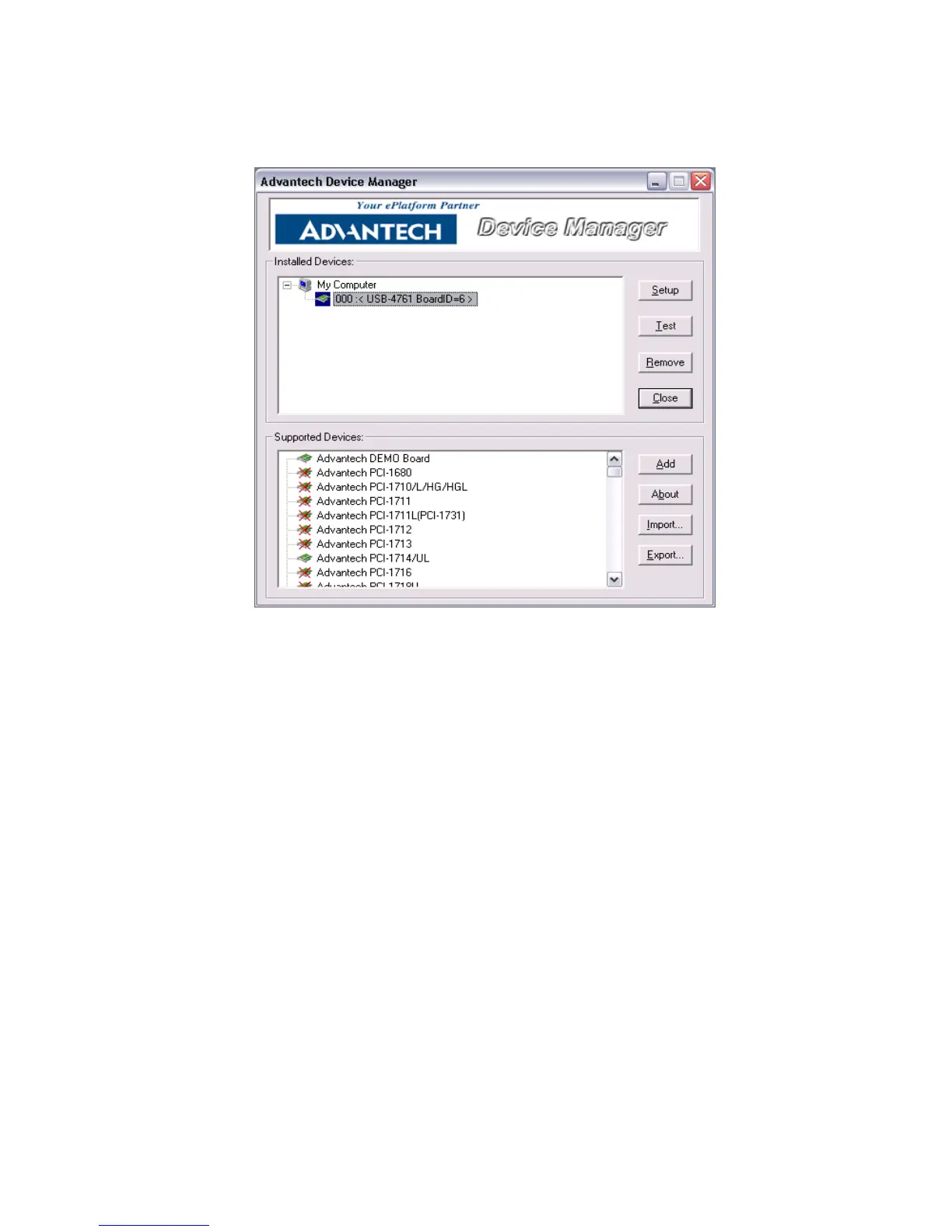
Step2: You can view the device(s) already installed on your system (if
any) in the Installed Devices list box. If you haven’t installed any devices,
you might see a blank list.
Figure 2.4: Device Manager Dialog Box
2.4.2 Configuring the Device
Step 3: Click “Setup” button and you will see the “Device Setting “dialog
box as follow. On the Device Setting dialog box, you can set the DI inter-
rupt trigger edge and the power-on DO values.
Note: If you have properly installed the device driver but still
can’t find it in Advantech Device Manager, please
close the Advantech Device Manager and restart it.


 To Next Page