UNO-2271G User Manual 2
1.1 Introduction
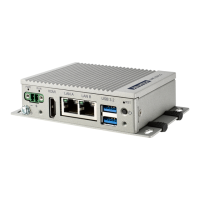
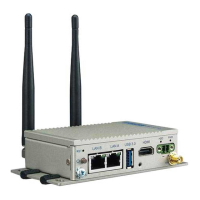
The UNO-2271G is an embedded Hardware Ready Platform that can shorten your
development time and offers a wide array of networking interfaces to fulfill the exten-
sive needs of different projects. UNO-2271G includes Intel’s latest Atom technology
and provide rich interfaces including up to 2 x GbE LAN and 1 x USB3.0 ports. The
UNO-2271G supports one HDMI display and also Advantech’s latest iDoor technol-
ogy.
The UNO-2271G can operate in wide temperatures (from 0 to 50°C). The UNO-
2271G also uses Intel Atom CPUs with great computing power and Built-in Onboard
4G DDR3L RAM for heavy programs.
The UNO-2271G provides great expansion including 1 x Mini-PCIe support. With
these expansions UNO-2271Ghas great expandability from Wi-Fi, 3G, I/O expansion
and industrial protocols with iDoor technology.
With multiple OS and driver support, such as Windows 7, Windows 10 and embed-
ded Linux, users can integrate applications easily in an application ready platform
that can provide versatile functions to fulfill diverse requirements.
1.2 Safety Precautions
The following sections tell how to make each connection. In most cases, you will sim-
ply need to connect a standard cable.
Warning! Always disconnect the power cord from your chassis whenever you are
working on it. Do not connect while the power is on. A sudden rush of
power can damage sensitive electronic components. Only experienced
electronics personnel should open the chassis.
Warning! Toujours à la terre pour éliminer toute charge d'électricité statique avant
toucher UNO-2271G. Appareils électroniques modernes sont très sensi-
bles à charges d'électricité statique. Utilisez un bracelet antistatique à
tout moment. Placez tous composants électroniques sur une surface
antistatique ou dans un statique-sac blindé.
Caution! Always ground yourself to remove any static electric charge before
touching UNO-2271G. Modern electronic devices are very sensitive to
static electric charges. Use a grounding wrist strap at all times. Place all
electronic components on a static-dissipative surface or in a static-
shielded bag.
Caution! Toujours débrancher le cordon d'alimentation de votre boîtier lorsque
vous êtes travailler. Ne branchez pas lorsque l'appareil est allumé. Un
afflux soudain de puissance peut endommager les composants électro-
niques sensibles. Seulement connu personnel de l'électronique
devraient ouvrir le châssis.











 To Next Page