UNO-2271G User Manual 8
2.6 RTC Battery Specification
The UNO-2271G has an RTC Battery to ensure the setting in BIOS and system clock
can be kept, even with power disconnected for a short time.
Type: BR2032
Output Voltage: 3 V
DC
2.7 Power Button/Power Management
Press the “PWR” button to power on or power off the UNO-2271G(ATX type). The
UNO-2271G supports the ACPI (Advanced Configuration and Power Interface).
Besides power on/off, it support multiple suspend modes, such as Power on Sus-
pend (S1), Suspend to RAM (S3), Suspend to Disk (S4). In S3 and S4 suspend
mode, the power consumption can be less than 2W which meet criteria of Energy
Star.
2.8 Reset Button
Press the “Reset” button to activate the hardware reset function.
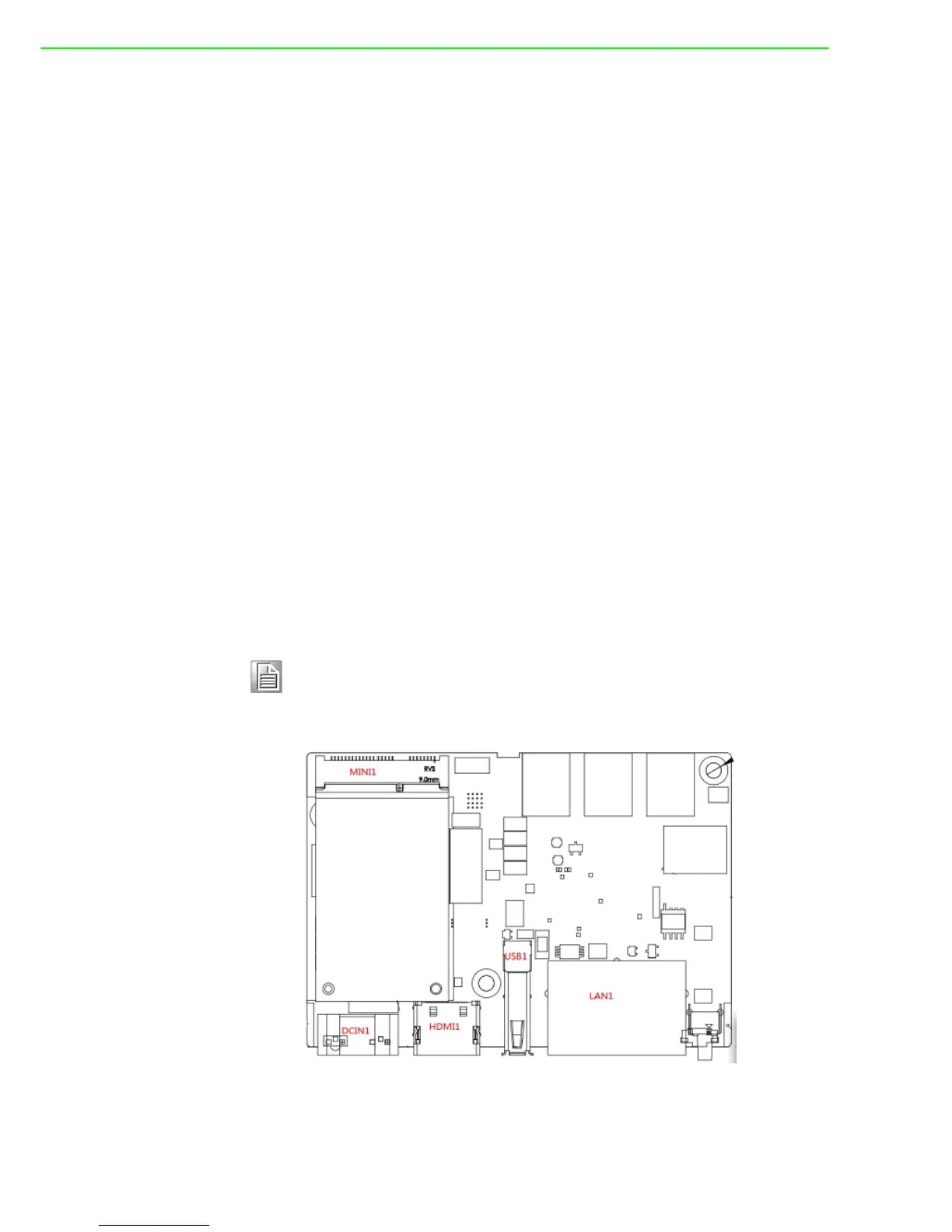
2.9 PCI Express Mini Card Socket
The UNO-2271G supports one full size socket for PCI Express mini cards.The
(MINI1) interface is mainly targeted at supporting iDoor technology/modules for
diverse applications such as isolated COM port, Profibus, WLAN GPRS, 3G, mRAM
and iDoor Module. Users can install the card easily using the optional kit.
The UNO-2271G supports one socket full size PCI Express mini cards.
Note! An additional SIM card slot is disabled. Please note you still require 3G
Mini-PCIe built-in SIM card slot module installed to be able to use 3G
functions.(For model produced before June 2015)











 To Next Page