21
aee.com
DE
EN
ES
PT
IT
EL
FR
NL
PL
CS
HU
SV
FI
NO
RU
DA
d. Playback
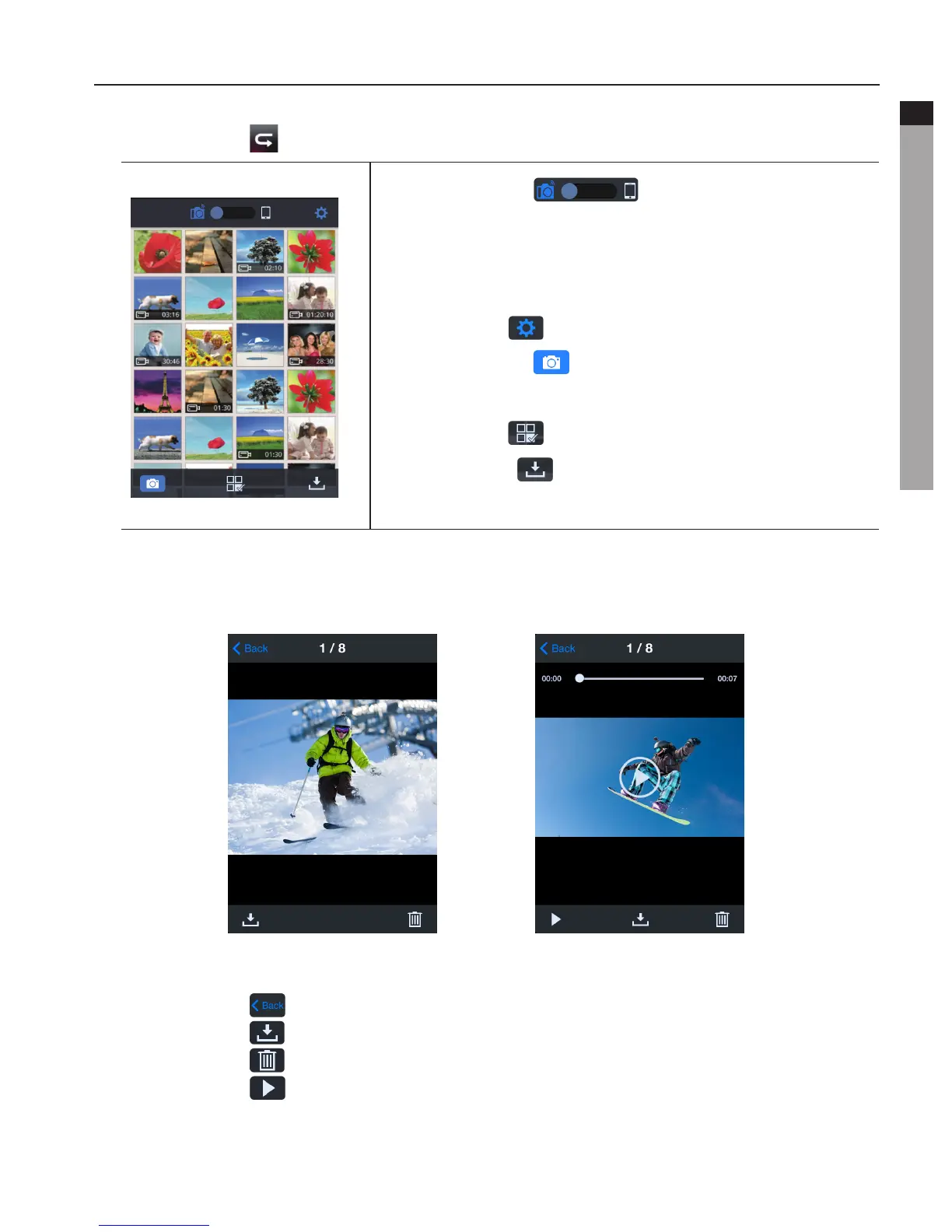
- Click the icon " " to enter the interface shown to remotely play videos and photos.
Slide the icon " ". If you select "Camera
Storage", you can replay the files stored on the camera. If
youselect"MobileDeviceStorage",youcanreplaythefiles
downloaded from the camera to the mobile device.
Click the icon " "toentertheAppsettingsinterface.
Click the icon " " to return to the WiFi control
interface.
Click the icon " " to enter File selecting.
Click the icon " " to download media files from the
camera to your mobile device.
- Click on the thumbnail to view it in large preview. You could slide left and right to select
the desired file.
PhotoPreviewVideoPreview
Click the icon " " to return to the thumbnail preview interface.
Click the icon " " to download the current file to your mobile device.
Click the icon " " to delete the current file.
Click the icon " " to display video.



 To Next Page