22
aee.com
DE
EN
ES
PT
IT
EL
FR
NL
PL
CS
HU
SV
FI
NO
RU
DA
3. Download Files to Mobile Device
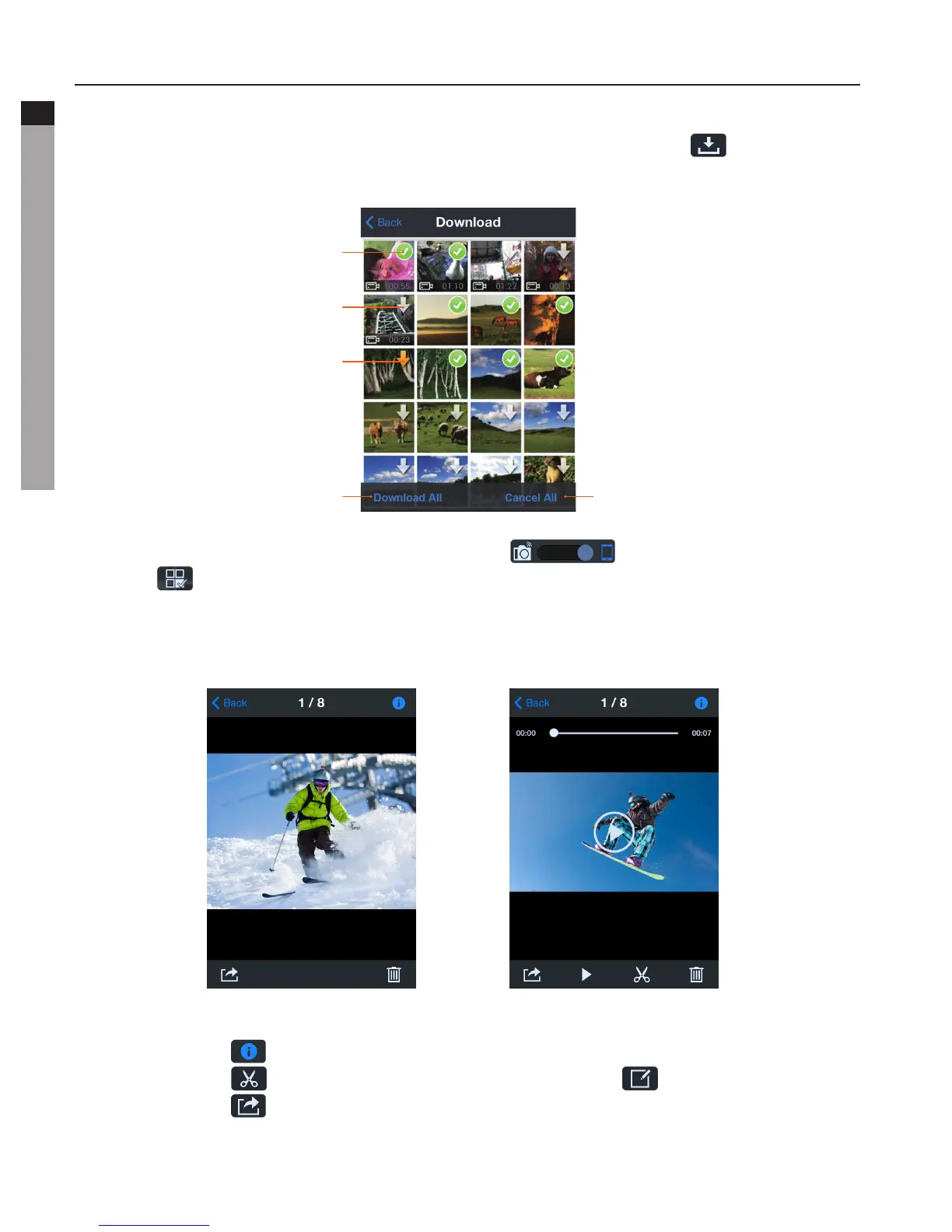
- Return to the thumbnail preview interface and click the icon " " to enter the
Download interface. Click the desired files to download them to your mobile device.
Cancel all downloads
Files downloaded
Files in waiting
Files in downloading
Download all the files
- In the thumbnail preview mode, slide the icon " " to view local files. Click the
icon " " to enter the interface shown in the figure below, and then click the desired
files to share them to social networking websites.
- Click on the thumbnail to view it in large preview. You could slide left and right to select
the desired file.
PhotoPreviewVideoPreview
Click the icon " " to view the current file information.
Click the icon " " to enter the video trimming interface. (" "iOSversion)
Click the icon " " to share the current file to a social networking website.



 To Next Page