- 26 -
BUTTONHOLE SEWING
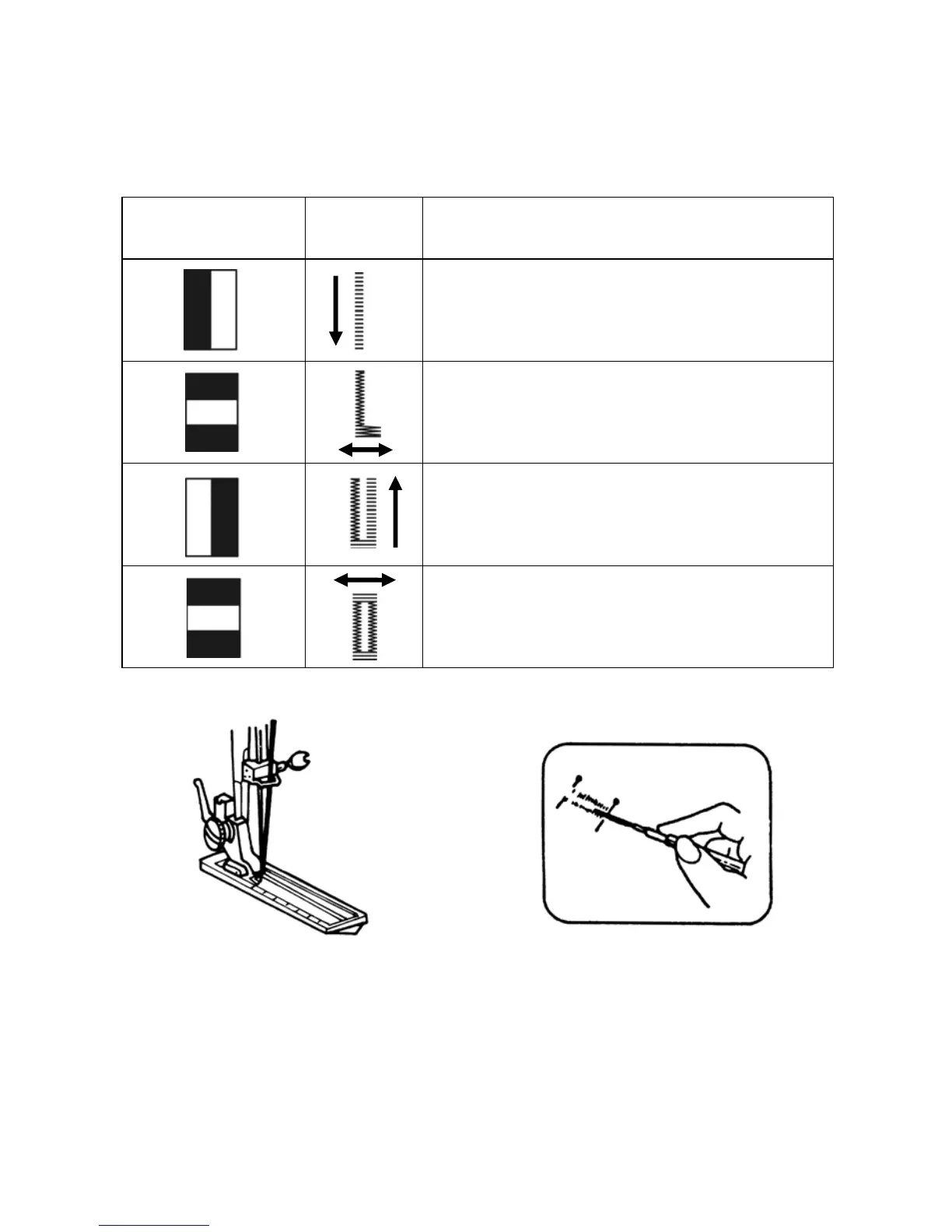
Use the buttonhole foot.
Set the stitch length dial.
Pattern selector dial
Steps
Setting
1. Set dial to “1“ position
2. Sew left side
3. Raise the needle
4. Set dial to “2“ position
5. Sew 5-6 stitches
6. Raise the needle
7. Set dial to “3“ position
8. Sew right side
9. Raise the needle
10. Set dial to “4“ position
11. Sew 5-6 stitches
12. Raise the needle
Before sewing, fit buttonhole foot as
shown.
Cut buttonhole along centre with cutter
as shown.


 To Next Page