4. Install the glass cover.
Cleaning the oven door
The oven door has three panels of glass installed one behind the other. You can remove the
glass panels to clean them.
The oven door is not reversible.
Removing the glass panels
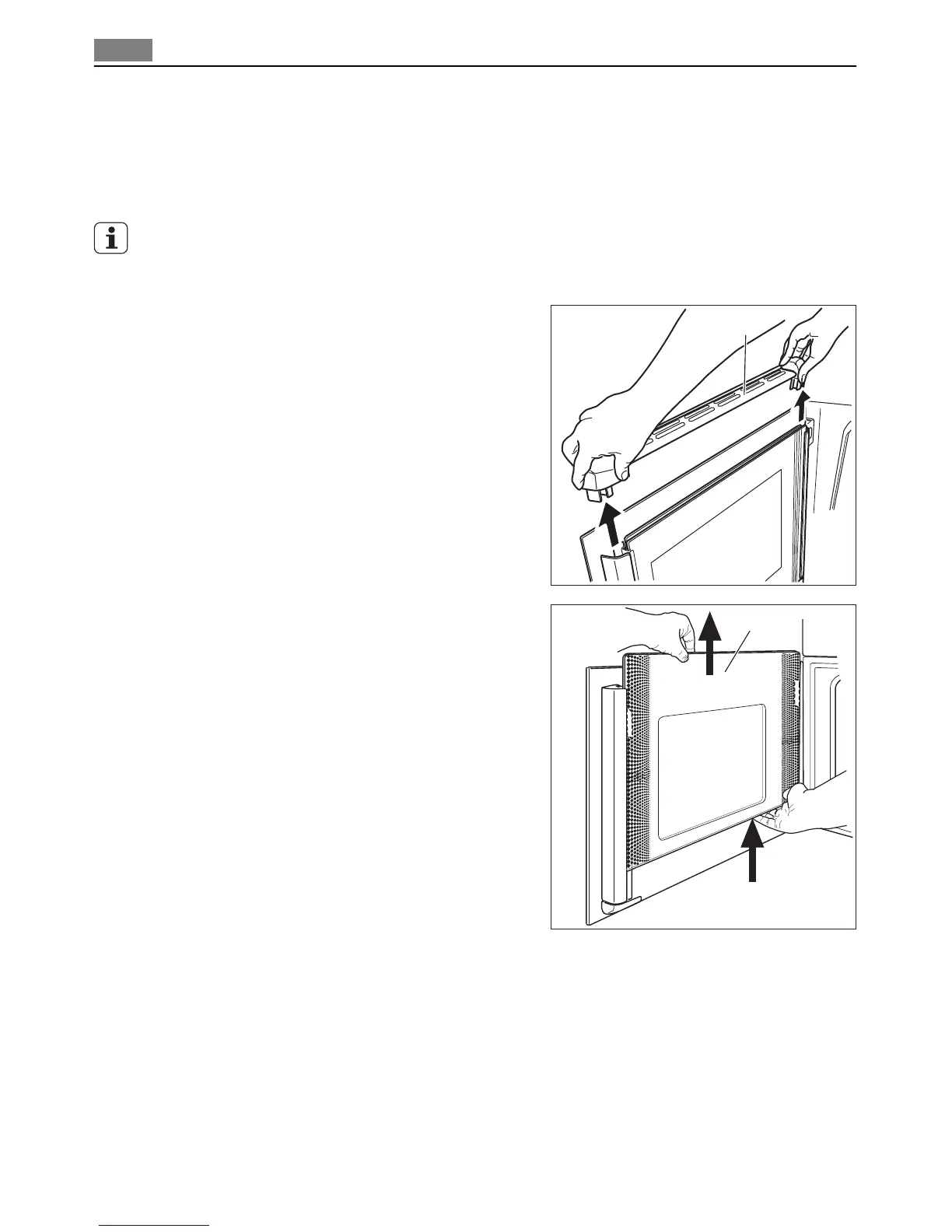
1. Hold the door trim on the top edge of the
door (A) at the two sides and pull it up-
wards to remove it. Be careful with the
glass panels and make sure that they do
not fall.
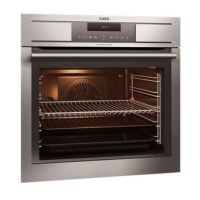
2. Hold the door glass with one hand and
remove the first glass panel (B) with the
other hand.
A
B
24 Care and cleaning


 To Next Page