7. CLOCK FUNCTIONS
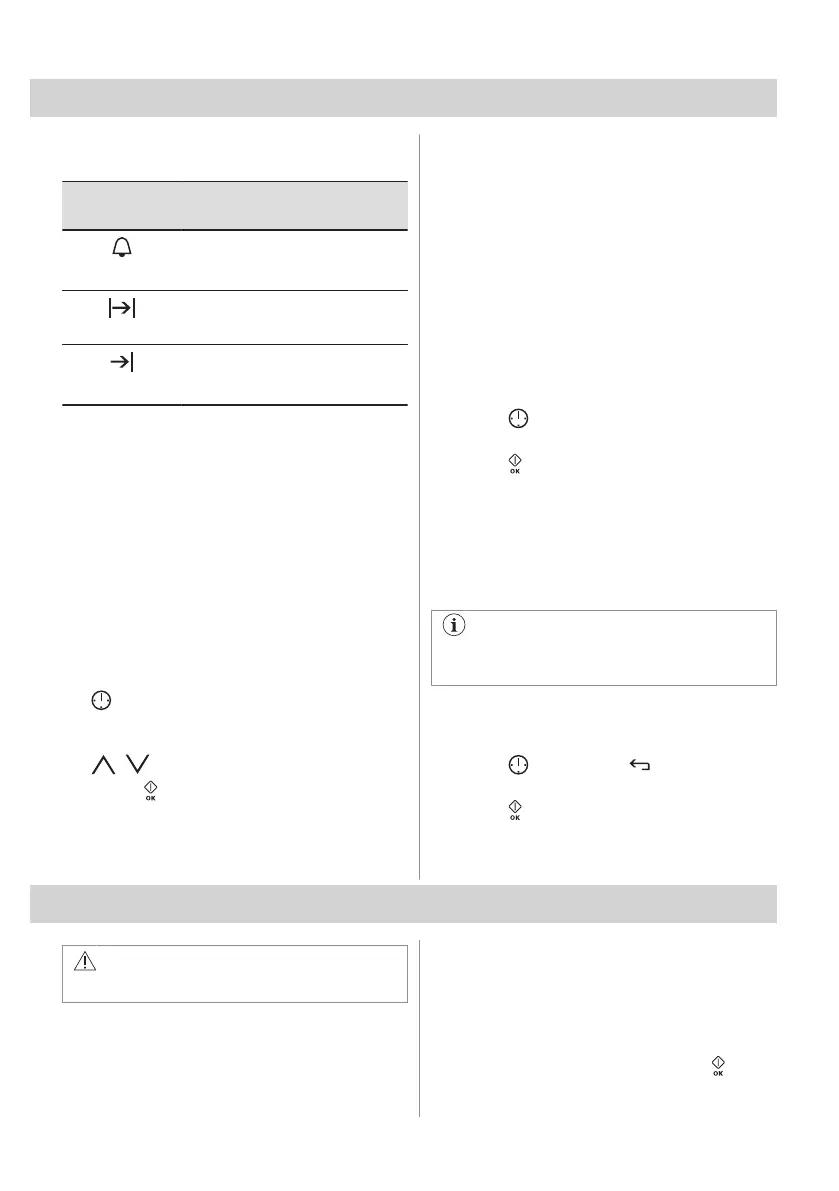
7.1 Clock functions table
Clock func‐
tion
Application
Minute Minder
To set a countdown (max. 2 h 30
min). This function has no effect
on the operation of the appliance.
Duration
To set how long the appliance
works (max. 23 h 59 min).
End Time
To set the switch-off time for a
heating function (max. 23 h 59
min).
If you set the time for a clock function, the
time starts to count down after 5 sec.
Duration, End Time - before you use the
functions, you must set a heating function
and temperature. The appliance turns off
automatically.
Duration , End Time - you can use the
functions at the same time if you want to
automatically turn on and turn off the
appliance on a given time later.
7.2 Setting the clock functions
1. Set a heating function.
2. - press repeatedly until the display
shows the necessary clock function and
the related symbol.
3. , - press to set the time.
4. Press: .
When the time ends, the signal sounds. The
oven turns off. Press any sensor field to stop
the signal.
7.3 Heat + Hold
Conditions for the function:
• The set temperature is more than 80 °C.
• The function: Duration is set.
The function: Heat + Hold keeps prepared
food warm at 80 °C for 30 minutes. It turns on
after the baking or roasting procedure ends.
You can turn on or turn off the function in the
menu: Basic Settings.
1. Turn on the oven.
2. Select the heating function.
3. Set the temperature above 80 °C.
4. Press
again and again until the display
shows: Heat + Hold.
5. Press to confirm.
When the function ends, a signal sounds.
7.4 Time Extension
The function: Time Extension makes the
heating function continue after the end of
Duration.
Applicable to all heating functions with
Duration or Weight Automatic.
1. When the cooking time ends, a signal
sounds. Press any symbol.
The display shows the message.
2. Press to turn on or to cancel.
3. Set the length of the function.
4. Press .
8. AUTOMATIC PROGRAMMES
WARNING!
Refer to Safety chapters.
8.1 Recipes with Recipe Automatic
This oven has a set of recipes you can use.
The recipes are fixed and you cannot change
them.
1. Turn on the oven.
2. Select the menu: Recipes. Press to
confirm.
14 ENGLISH



 To Next Page