28
Other Functions
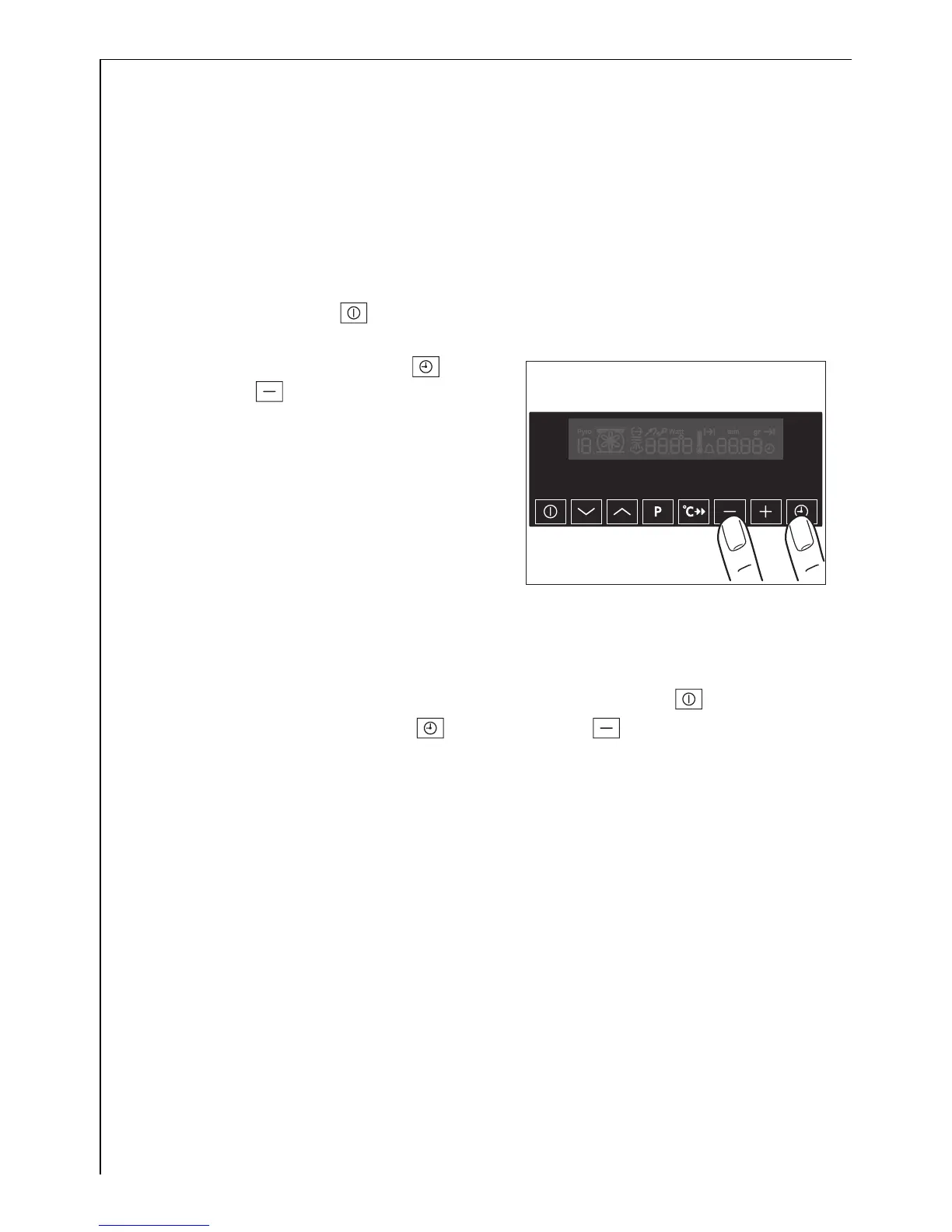
Switching off the display
2 You can save energy by switching off the display.
Switching off the display
1. If required, switch off the appliance
using the On/Off button. No
residual heat should be displayed.
2. Press the Clock Functions button
and the button at the same time
until the display goes out.
3 As soon as the appliance is switched
on again, the display comes on au-
tomatically.
When the appliance is next
switched off, the display goes out
again.
To display the time permanently
again, you must switch the clock on again.
Switching on the display
1. If required, switch off the appliance using the On/Off button.
2. Press the Clock Functions button and the button at the same
time until the display comes on again.




 To Next Page