1/4
Svenska
English
Deutch
Italiano
Francais
Language
SV
DE
EN
IT
FR
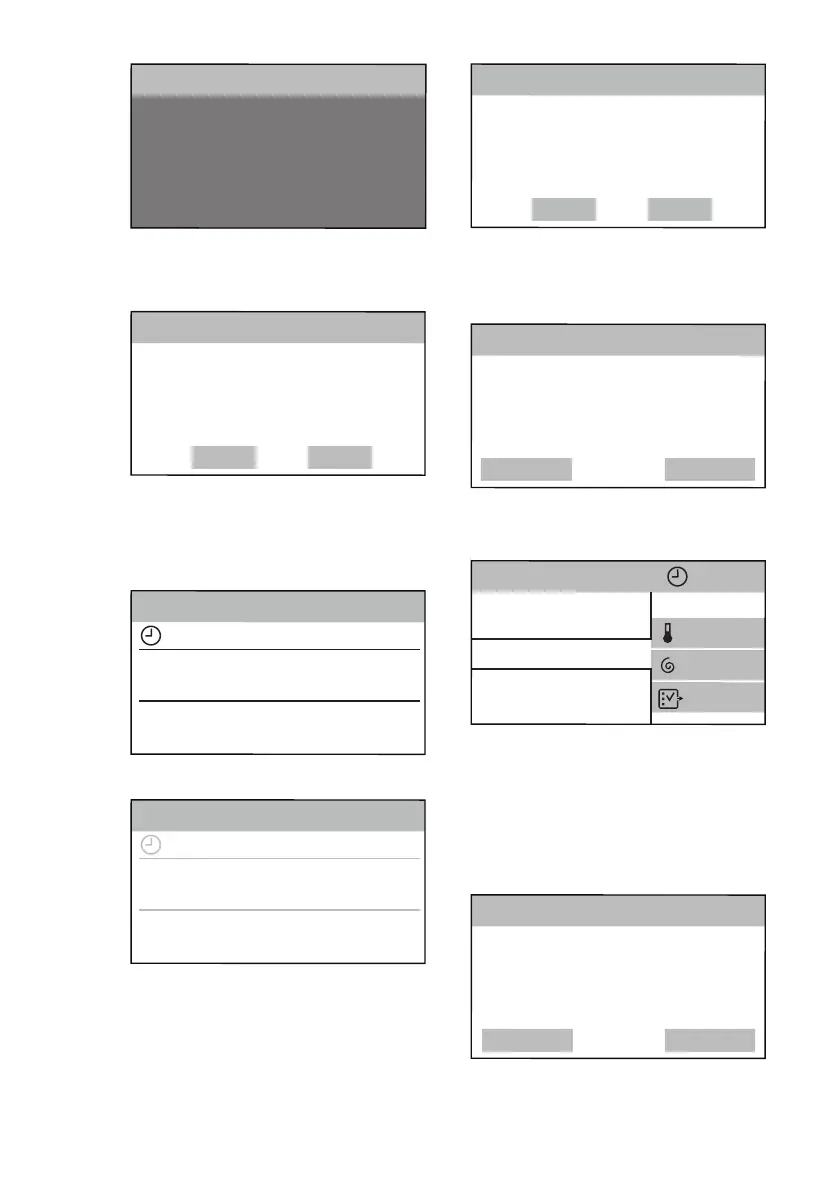
2. The following screen pops up:
• tap on OK to confirm the
language:
• tap on Change to change it.
Change
OK
You’ve selected:
English
2/4
Language
6.2 Time setup
1. Scroll the hour and minute bars to
the right or to the left to set the
current time.
Set Clock
13:45
46>
14>
<44
<12
45
min
13
h
3/4
Info
2. Tap on the Set Clock bar to set the
time.
Set Clock
13:45
46>
14>
<44
<12
45
min
13
h
3/4
Info
3. The following screen pops up:
• tap on OK to confirm the set
time.
• tap on Change to change it.
Change
OK
Current time:
13:45
4/4
Set Clock
6.3 More settings
After you set the time, the More settings
screen pops up.
Later
Set
More settings to get the best results
from this machine will follow. Set
them now?
More Settings
If you tap on Later, the programme list
screen appears and you can set the
desired programme.
Cottons
ColourPro
OKOPower
3h01min
Cottons Eco
Synthetics
More
1200
40°
If you tap on Set, proceed with next
settings.
6.4 Detergent Dosing
You can set the average quantity of
detergent suggested on the detergent
packaging.
Later
Set
Advise on detergent level for best
results. Set now or later?
Detergent advice
1. Tap on Set. The following window
pops up.
ENGLISH
15


 To Next Page