Later
OK
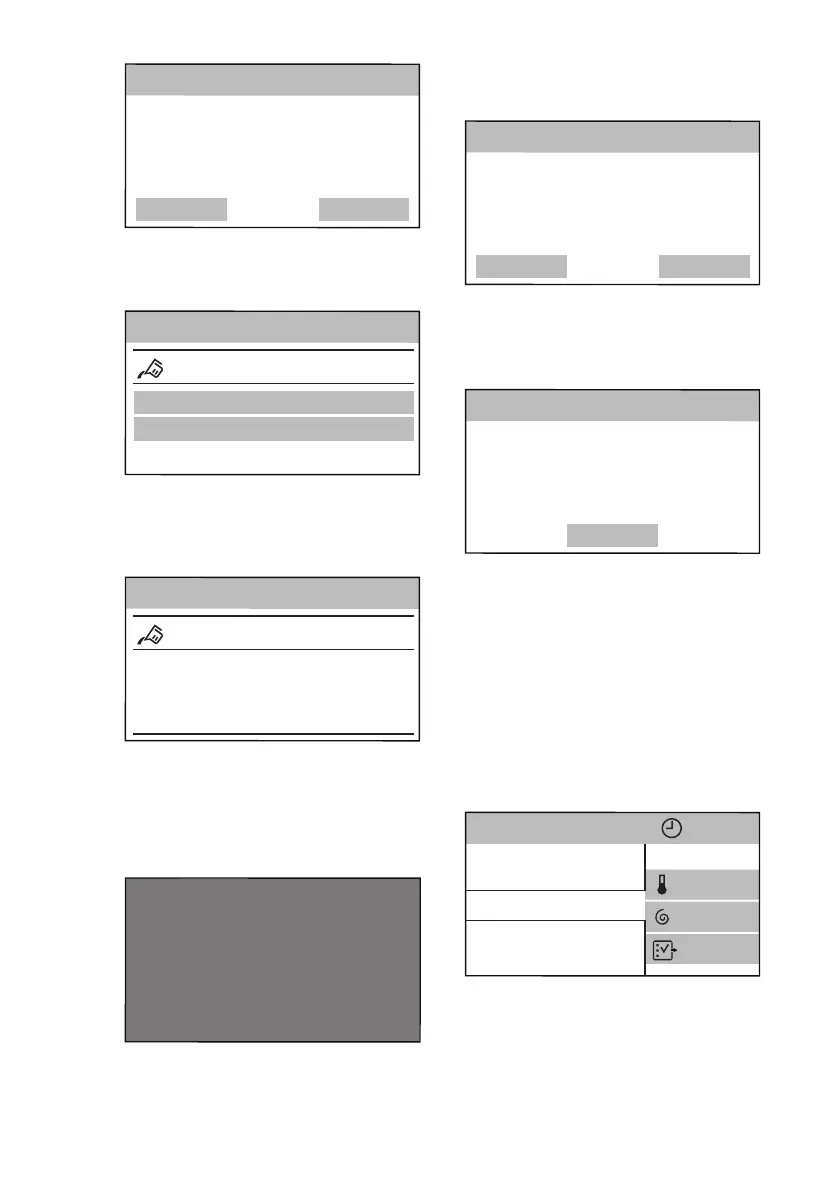
Set detergent dose for full load in
10 kg machine. Refer to detergent
packaging for recommended dosage
Detergent advice
2. Tap on OK to enter the Detergent
Dosing menu.
3. Tap on the Detergent Type 1 or
Detergent Type 2 bar.
Detergent Dosing
OFF
Info
Detergent Type 1
Detergent Type 2
4. Scroll the submenu bar right or left to
set the detergent dosage in ml that
matches with the average dosage
suggested on the detergent
packaging.
Detergent Type 1
OFF
Info
60>
<40
50
ml
5. Tap on the Detergent Type 1 bar.
The following window pops up. Tap
on OK to confirm your choice.
Change
OK
50
You’ve selected:
Detergent advice
6.5 Wi-Fi
The startup ends with following dialog
window.
OK
Settings complete. To connect your
machine to WiFi, see instructions in
user manual
OK
Refer to the "Wi-Fi Connectivity setup"
section in the "Settings" chapter.
7.
TOUCH SCREEN
Each time you turn the appliance on, the
Start-up Screen appears on the touch
screen.
After a few seconds, the programme list
screen appears proposing Cottons as
default programme.
Cottons
ColourPro
OKOPower
3h01min
Cottons Eco
Synthetics
More
1200
40°
If you don't scroll the programme list up
and down, in a few seconds the
programme summary screen appears. To
return to the programme list screen just
tap on the programme name (e.g.
Cottons).
www.aeg.com
16


 To Next Page