4. Tap on Time Dry and then on the
top bar to return to the programme
summary screen. The display will
show the timed drying and the
updated programme duration.
5. Touch the Start/Pause to start the
programme. The door locks. During
the programme, the display will keep
you informed about each phase.
14.4 At the end of the drying
programme
• The appliance stops automatically.
• The acoustic signals operate (if they
are active).
• The display tells that the cycle is
finished and shows 0h00min.
• The indicator of button Start/Pause
goes off. The door unlocks and the
indicator
goes off.
• Press the button On/Off for some
seconds to deactivate the appliance.
After some minutes from
the end of the
programme, the energy
saving function
deactivates the appliance
automatically.
1. Remove the laundry from the
appliance.
2. Make sure that the drum is empty.
After drying phase, clean the
drum, the seal and the inside
of the door with a wet cloth.
The message Clean the
primary air filter appears on
the display to remind you to
clean the air filter (refer to
'Cleaning the air filters' in
'Care and cleaning' chapter).
15. SETTINGS
15.1 Introduction
1. In the programme summary screen,
just tap on the screen to return to the
programme list screen.
2. Scroll the list up or down to find
Settings.
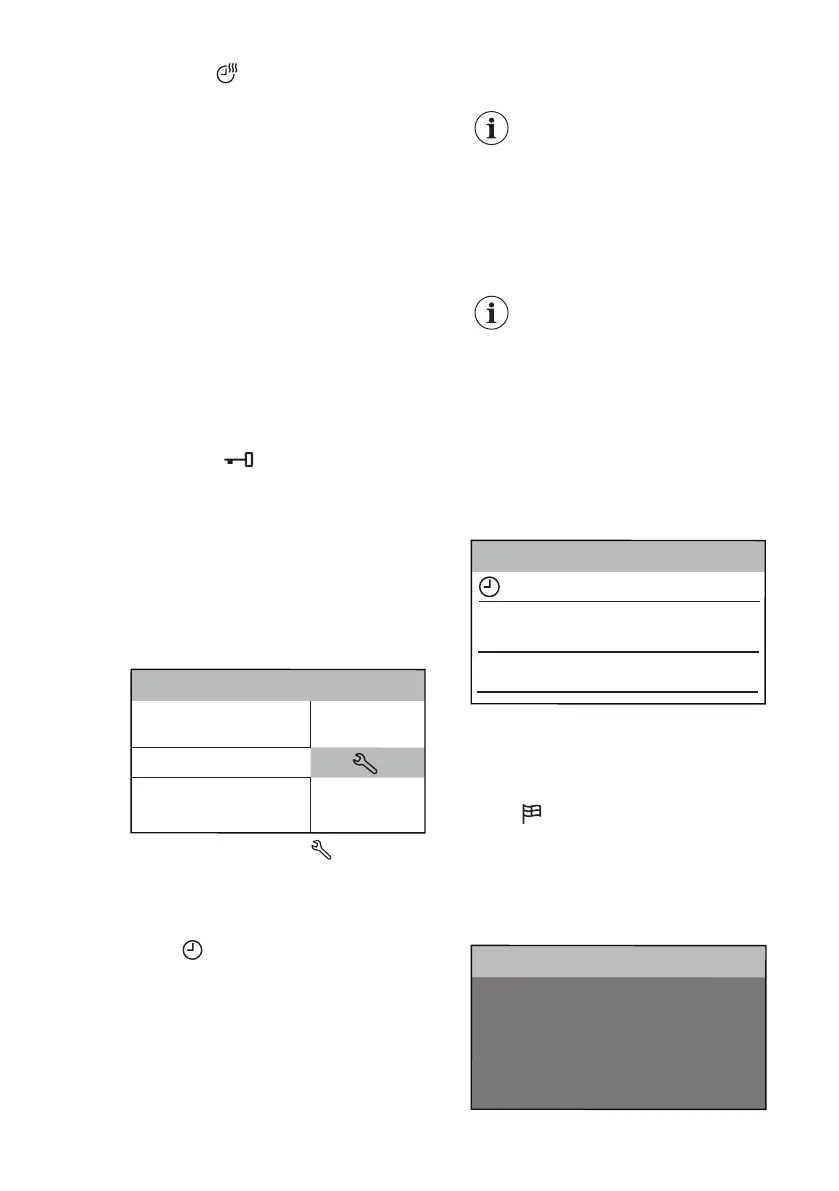
Settings
Machine Clean
Spin
OKOPower
ColourPro
3. Tap on the shortcut to enter the
setting menu.
4. Scroll the setting list up or down to
find the setting you want to change.
15.2 Set Clock
To change the time:
1. Tap on the Set Clock bar to enter
the submenu.
2. Scroll the minute and the hour bars
right or left to set the current time.
Set Clock
01h00min
<Programmes
Info
01 >
02 >
< 59
< 24
00
min
01
h
3. Tap on the Set Clock bar to return to
the machine setting list or tap on the
Programmes bar to return to the
programme summary screen.
15.3 Set Language
To change the language:
1. Tap on the Language bar.
2. Scroll the language list up or down to
find the desired language and hold it
pressed.
Svenska
English
Deutch
Italiano
Francais
Language
SV
DE
EN
IT
FR
<Back
ENGLISH
41


 To Next Page