Removing the wireless
credentials
1. In the programme list screen, tap on
the shortcut to enter the setting
menu.
2. Tap on the Wi-Fi bar, and a new
menu is shown.
3. Tap on Reset network.
8.3 Remote Start Mode
You can start and stop a washing
programme remotely.
When the App is installed and the
wireless connection is complete, the
Remote Start Mode option will appear
among the available options of each
programme.
To activate the remote start:
1. In the programme list screen, select
the desired programme.
2. When the programme summary
screen appears, tap on
More to
enter the option list.
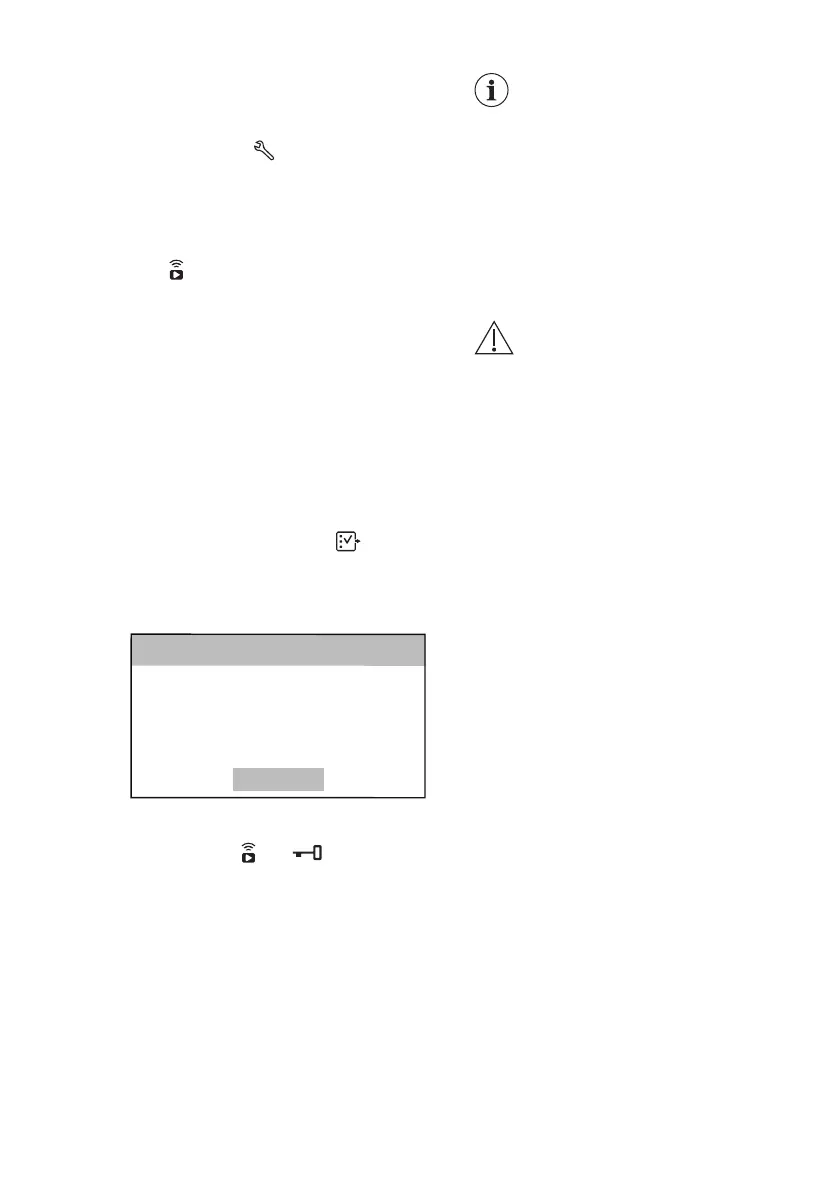
3. Tap on the Remote Start Mode bar
to activate it (ON status). The
following message pops up:
Cancel
Please press Start
To activate Remote Start Mode
Remote Start Mode
<Back
4. Press the Start/Pause button to
activate the Remote Start Mode.
The indicators
and appear on the
programme summary screen and the
door is locked.
If the door is open, the
Remote Start Mode is
deactivated.
If you pause or stop the
cycle remotely, the door
remains locked. To unlock
the door, you should be in
front of the appliance and
press the Start/Pause. To
avoid accidental unlocking
of the doors, the Child Lock
option can be activated.
WARNING!
If the temperature and level
of the water in the drum are
too high and/or the drum
still rotates you cannot open
the door.
8.4 Over-the-air update
The App may propose an update for
downloading new features.
The update is accepted via App only.
If a programme is running, the App
notifies that the update will start at the
end of the programme.
During the update, the appliance shows
a message telling that update is running.
The appliance will usable again at the
end of the update, without any
notification about successful update.
If an error occurs, the appliance warns
that update has failed: just press any
buttons or turn the knob to return to
normal use.
ENGLISH
19


 To Next Page