32
qwer
Buttonhole
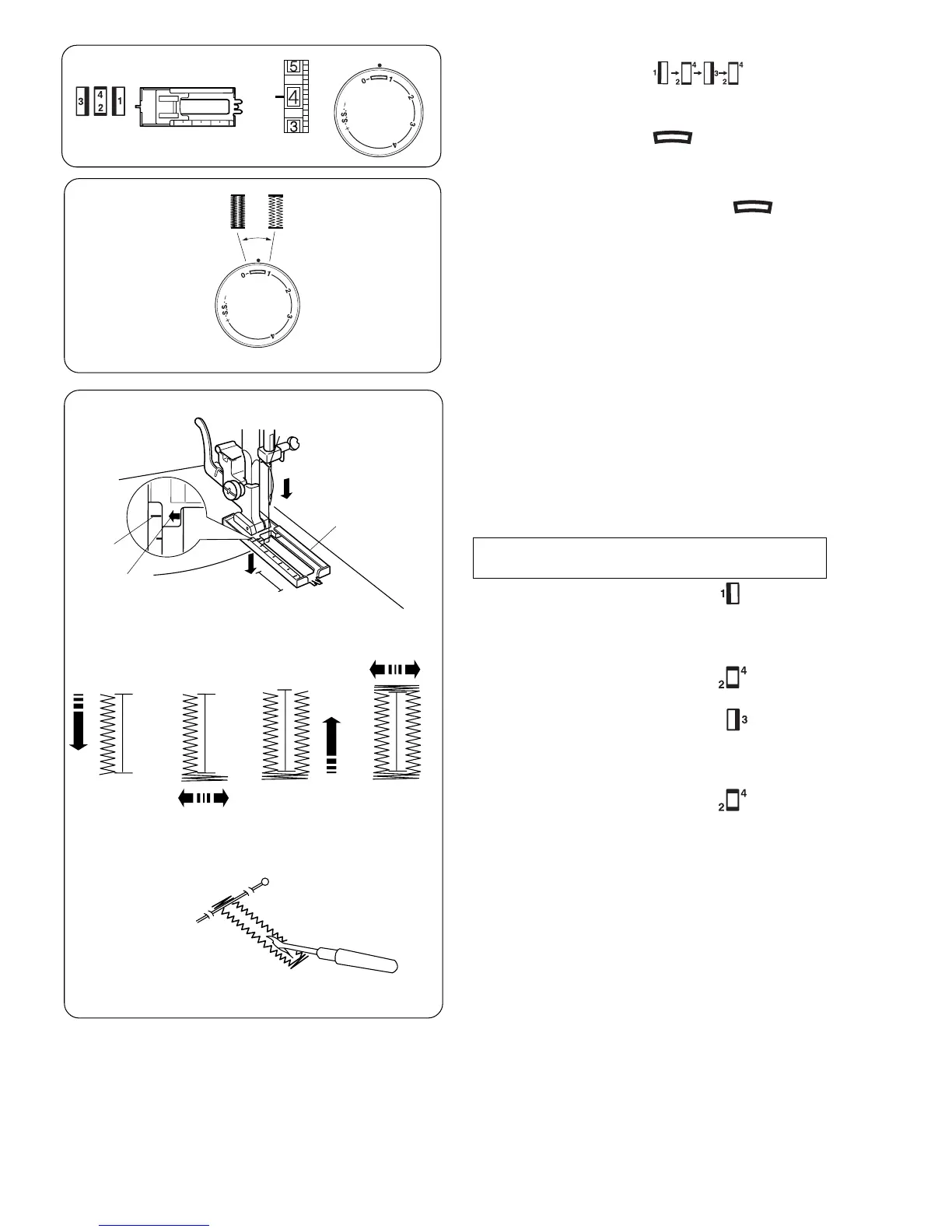
To adjust buttonhole stitch density:
Set the stitch length dial between “ “to
adjust the buttonhole stitch density.
q Pattern selector:
w Presser foot: Sliding buttonhole foot
e Thread tension: 1–5
r Stitch length:
(A)
(B)
(C)
z Carefully mark buttonhole length on fabric.
Place the fabric under the foot with the
buttonhole marking running toward you.
x Move the slider (A) toward you so that the top
mark (C) on the slider meets the start mark
(B). Line up the markings on the foot with the
top mark on the fabric.
Note:The scale on the slider is engraved in
centimeters.
c Set the pattern selector dial at “ ”.
Sew forward until you reach the front marking
of your buttonhole.
Stop sewing at a left stitch.
v Set the pattern selector dial at “ ”.
Sew 5 stitches. Stop sewing at a right stitch.
b Set the pattern selector dial at “ ”.
Sew until you reach the back marking of the
buttonhole.
Stop sewing at a right stitch.
n Set the pattern selector dial at “ ”.
Sew a few bartacks and raise the needle from
the fabric.
Set the pattern selector dial at a straight
stitch.
Sew a few locking stitches.
m Remove the fabric from the machine and cut
the sewing thread. Insert a pin inside the
bartack.
Then cut the opening with a seam ripper.
Take care not to cut the stitches.
z x
cvb
n
m


 To Next Page