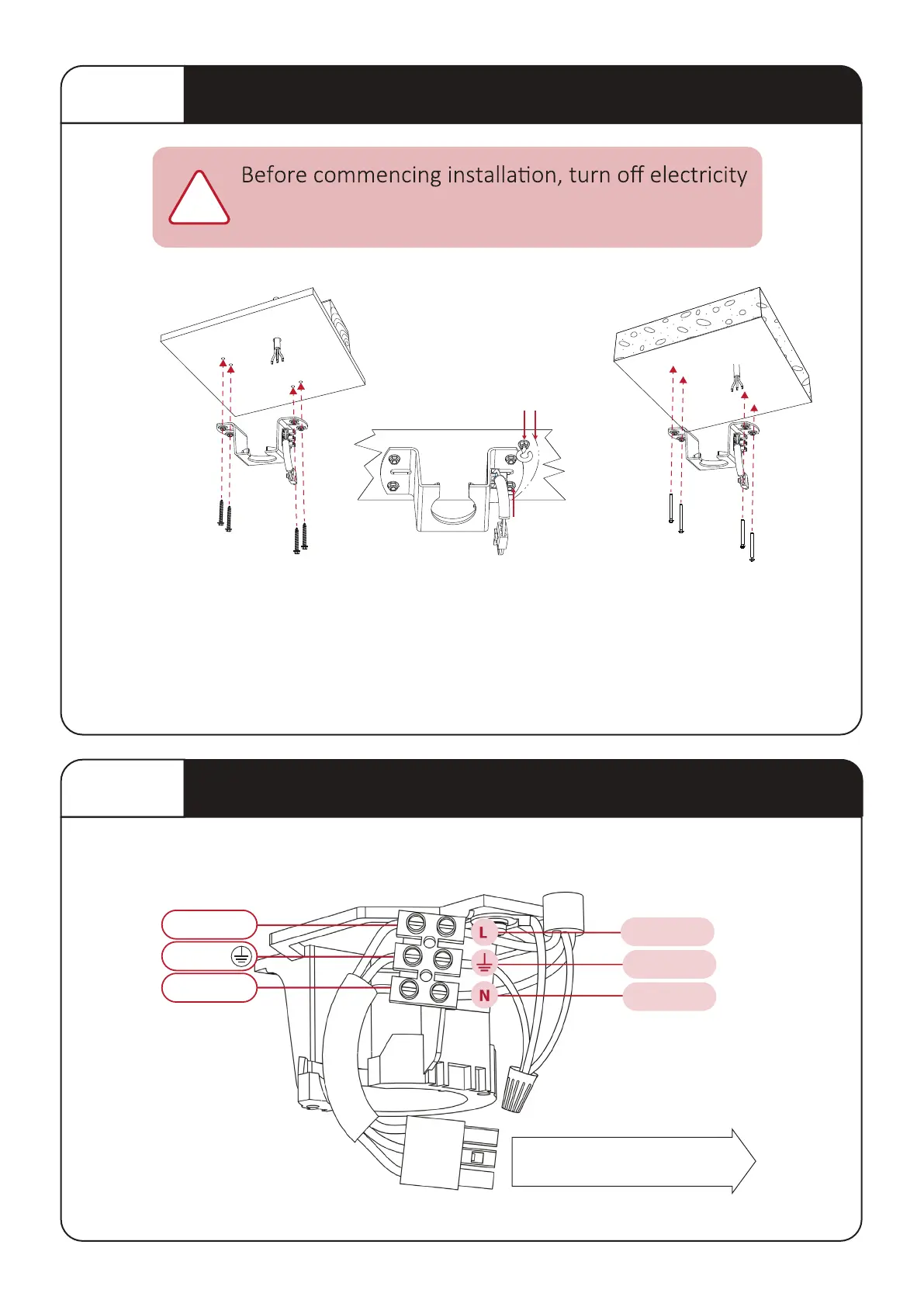
STEP 1 Mounting Metal Hanger Bracket to Ceiling
supply at the main power box. Disconnect power
by removing fuse or turning off circuit breaker.
!
STEP 2
Connecting Mains Power to Terminal Block
4
Install hanger bracket to ceiling joist or concrete ceiling using a minimum of (4) bolts/ screws as provided. Ensure
ceiling joists are sound and of adequate size and strength to support a 32Kg (70lbs) load. If a mber frame is to be
added it must be securely nailed or screwed between two beams. Mount the hook bolt / mber screws for the
safety cable within the motor housing opening, approx Ø165mm from the centre of the hanger bracket.
WARNING: MOUNT ONLY TO AN OUTLET BOX MARKED ACCEPTABLE FOR FAN SUPPORT.
This fan is to be installed so that the blades are more than 2.3m above the floor
OPTION A:
Ceiling Joist
OPTION B:
Concrete Ceiling
Ø165mm
Hook bolt or
mber screw
Expansion bolt or
mber screw
4 mber screws
4 expansion bolts
N
L
CONNECT WITH RECEIVER
3PIN
NEUTRAL
LIVE
L
LIVE
LIVE
GROUND
GREEN
BROWN
L
BLUE
N
FROM HOUSE
(Mains Power)



 To Next Page