6
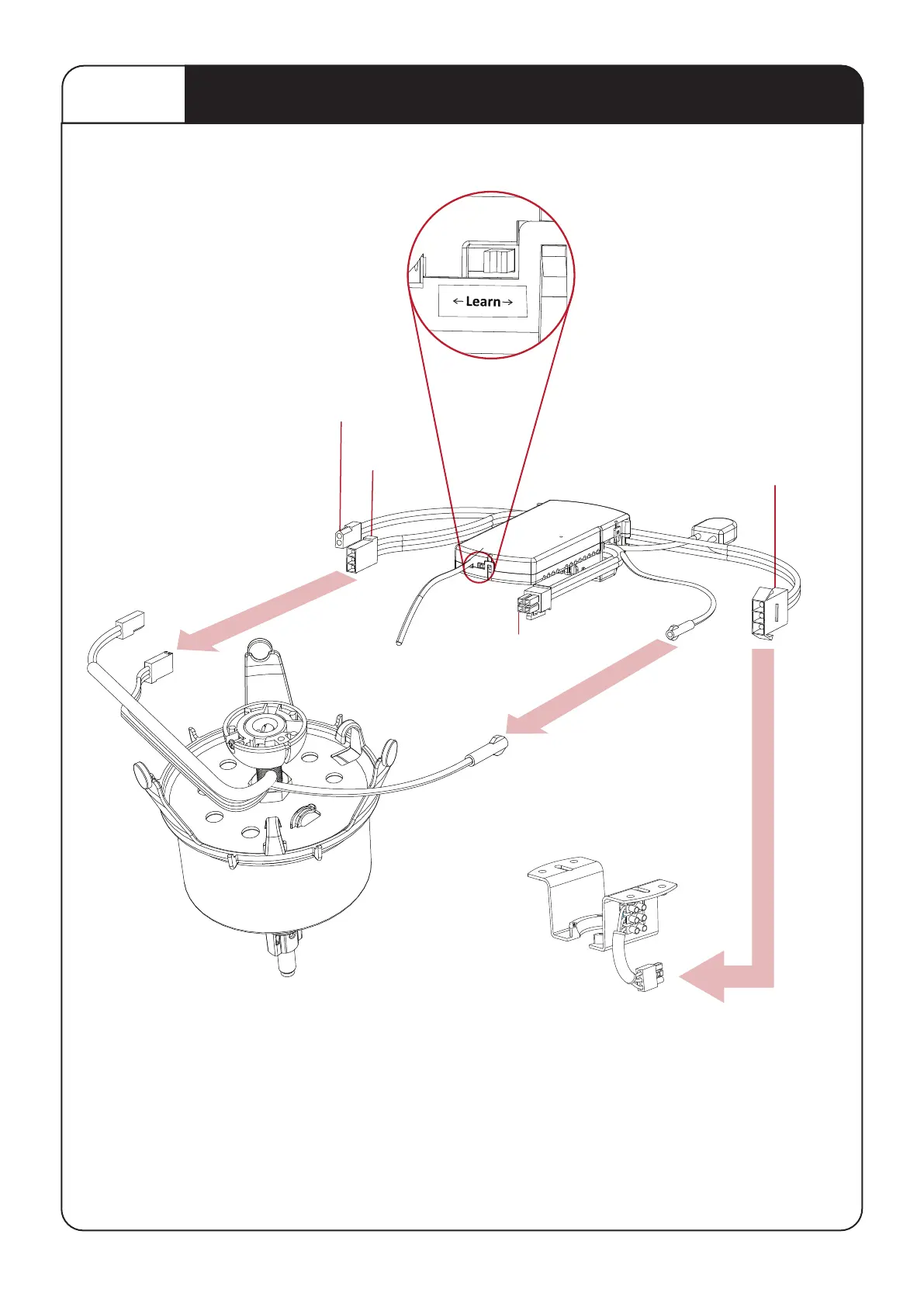
Connecting the Receiver
STEP 5
Learn Switch
Switch to “O” to pair receiver
with the Remote control and
Switch to “X” to lock the pairing
code with the Remote control
2PIN LED driver connection
(optional for LED light)
3PIN
3PIN
Mains Power
Aerial
4PIN Comms
Connector
(Optional USE ONLY
IF INSTRUCTED)
1.
2.
Connect the 3PIN connector (Mains Power)
between Hanger Bracket and Reciever.
Connect the3PIN
& Earth cable connector
between DC Motor and Receiver.
3PIN
Receiver to
Hanger bracket
3PIN
Receiver
to Motor
Earth Cable


 To Next Page