16
5 PARAMETER MENU
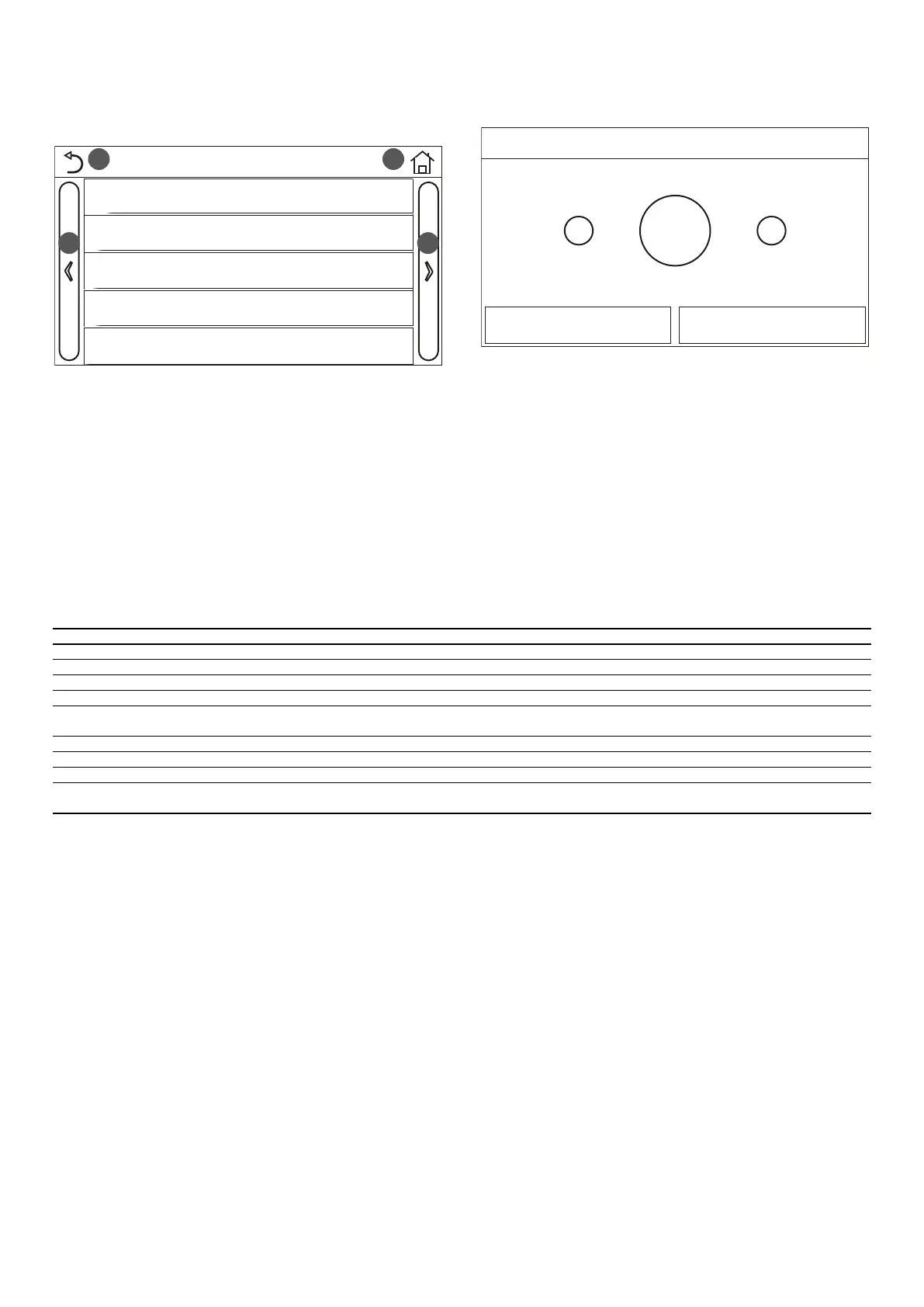
5.1 NAVIGATING THE MENU
1 2
3 4
Parameter (1/2)
WOT Cool: 18°C
WOT Heat: 20°C
RT Cool: 24°C
RT Heat: 20°C
T water tank: 50°C
This menu is used to set the machine adjustment values. The following keys are
used to navigate this menu:
1. Move back to the previous page;
2. Move on to the next page;
3. Go back to the higher level menu;
4. Go back to the main page (Home).
To access a function, click on the text of that function.
NOTE: while navigating the menu pages, the current page of the selected menu will
be displayed in the header (i.e. in the darker upper area).
5.2 SETTING THE TEMPERATURE SET-POINTS USED BY THE
UNIT IN THE VARIOUS MODES (WOT-COOL~ ΔT-HOT
WATER)
+-
18°C
OK Cancel
WOT Cool
Range: 7~25°C Default: 18°C
The windows of this menu are used to set the values used as a work set for the
various modes. The way in which the values are modied and saved is the same for
all of them: click on the label of the chosen parameter and set the required value
using the "+" or "-" keys, inserting a value within the permitted range. After setting
the value, press “OK” to conrm and return to the higher level.
Note:
1. The windows show the possible range for the selected parameter at the top
left, whereas the value entered during the last modication is shown on the
right;
2. The following table lists all the parameters available, with their functions and
operating ranges;
3. If the relative function is activated (paragraph "8.3 Activating/deactivating
the memory (On/o memory) p. 25"), the value of these parameters will
be stored in the memory and automatically reset after any possible voltage
failure.
Label Meaning Range
WOT-Cool Indicates the work set for cooling mode (used in control based on delivery water) 7~25°C
WOT-heat Indicates the operating set-point for heating mode (used in control based on delivery water) 20~60°C
RT-Cool Indicates the operating set-point for cooling mode (used in control based on ambient air) 18~30°C
RT-Heat Indicates the operating set-point for heating mode (used in control based on ambient air) 18~30°C
T-tank ctrl.
Indicates the operating set-point for domestic hot water production (available only if the storage tank accessory is installed and
set)
40~80°C
T-room temp Indicates the value of T to be applied to the set-point when the control is based on ambient air 1~5°C
T-Cool Indicates the value of T to be applied to the set-point for cooling when the control is based on delivery water 2~10°C
T-Heat Indicates the value of T to be applied to the set-point for heating when the control is based on delivery water 2~10°C
T-hot water
Indicates the value of T to be applied to domestic hot water production (available only if the storage tank accessory is installed
and set)
2~8°C



 To Next Page