EasyManua.ls Logo

AERMEC NRL 0280 E - Menu Structure and Navigation

AERMEC NRL 0280 E
36 pages
Print Icon
To Next Page IconTo Next Page
To Previous Page IconTo Previous Page
Loading...
2911_14. 5641200_01
NRL 0280-0750 60Hz
EN
A
B
C
D
E
F
I
H
G

       
  
into menus.


menus.





procedures”.


        

         


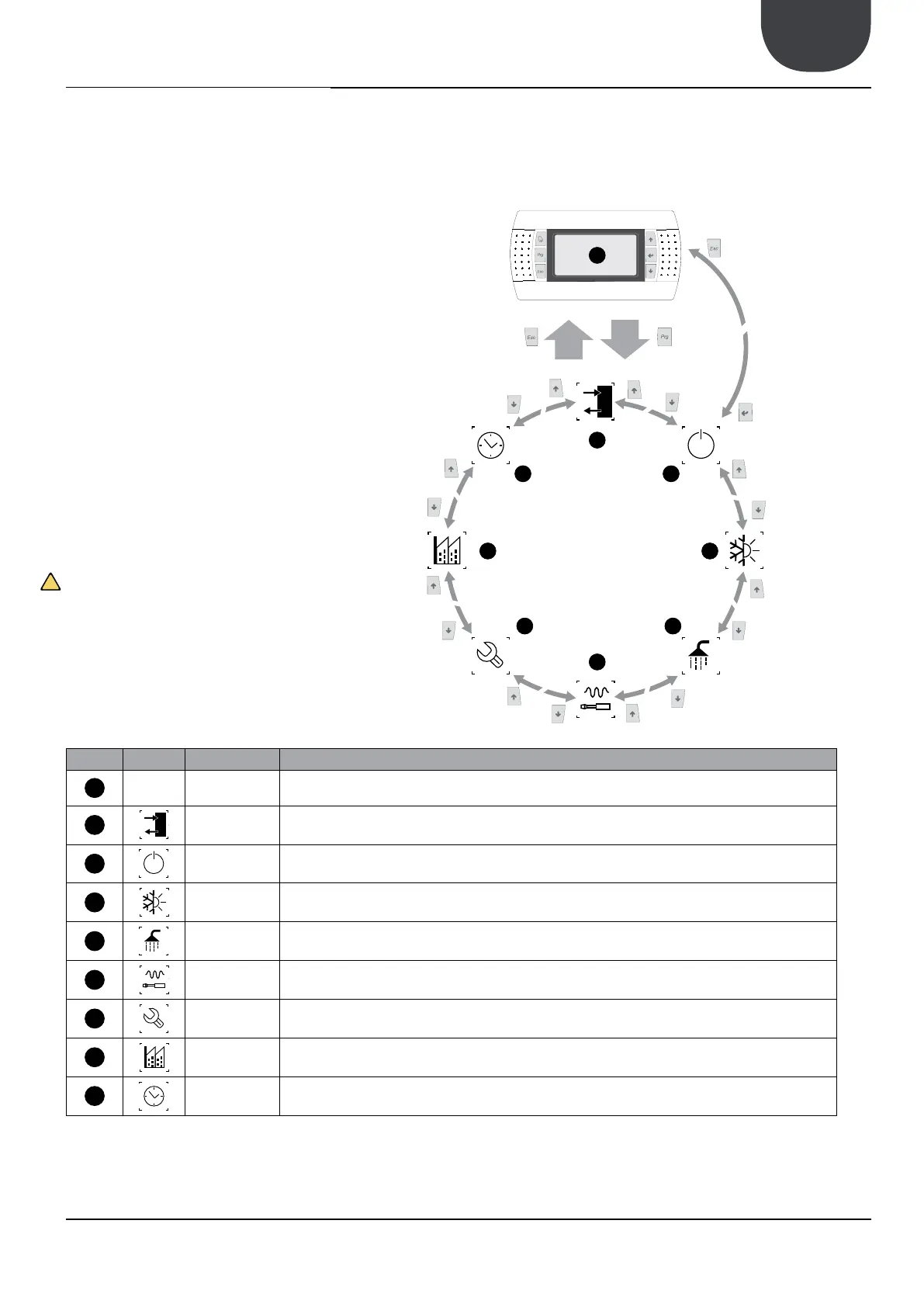
Index Icon Menu Menu function
A
--- MAIN The screens in this menu display the current conditions of the unit (unit status, setpoints,circuit data, etc.)
B
 This menu contains advanced information on the unit operation
C
 This menu permits the unit to be enabled or disabled, and provides information on the status
D
SYSTEM This menu permits the selection of the operating modes, the water setpoints and the time-clock for the system
E
 If the unit includes heat recovery, this menu permits the setting of the parameters associated with the heat recovery
F
INSTALLER
This menu contains the settings useful for the installer (enabling digital inputs, BMS configuration, control, pumps, etc.)
WARNING: This menu is password protected. The password is: 0000
G
ASSISTANCE This menu is only accessible to qualified personnel
H
 This menu is only accessible to qualified personnel
I
 This menu contains the clock settings for the system control (date, hour, calender)

15. MENU STRUCTURE AND NAVIGATION

Related product manuals