17
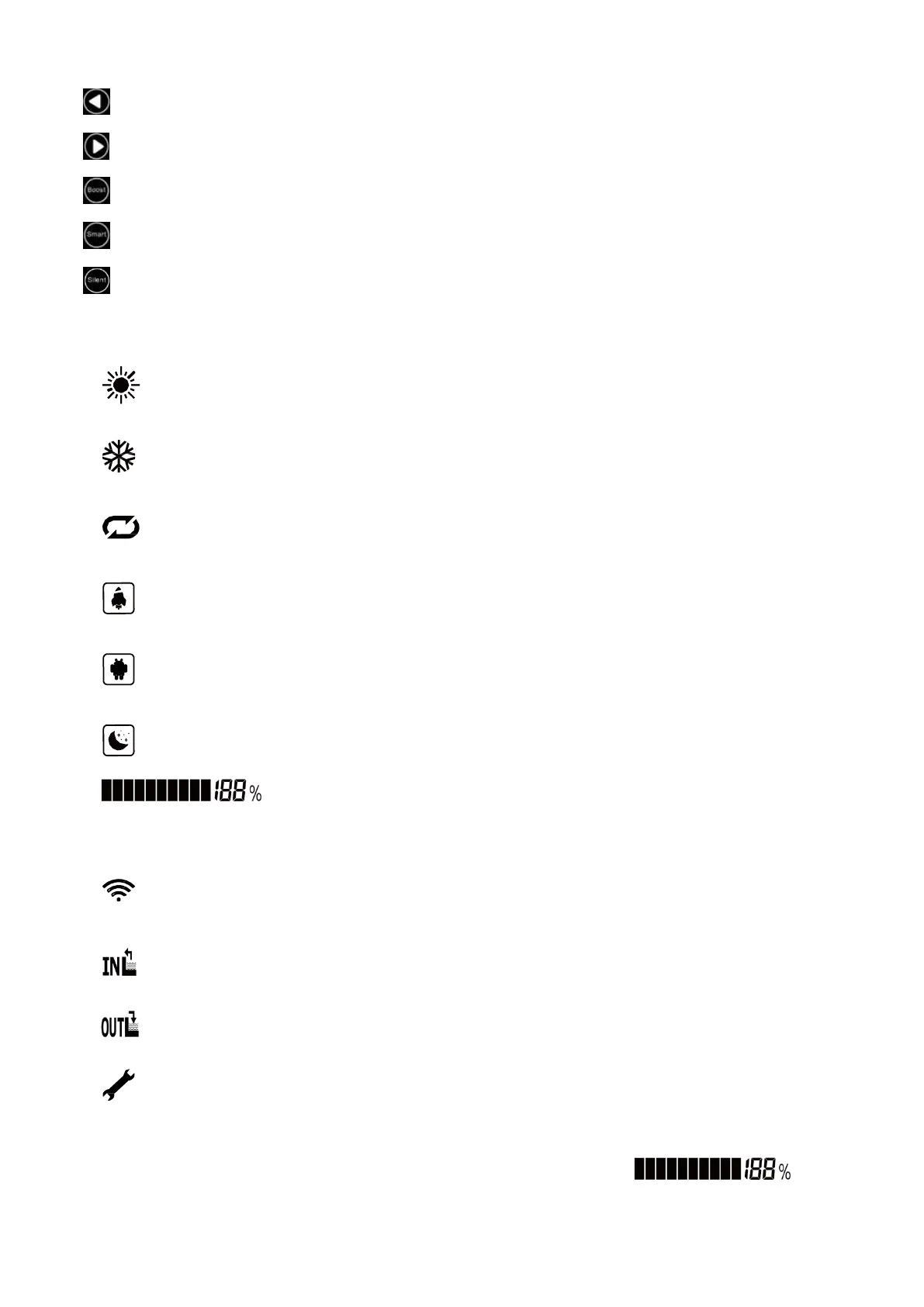
Increase:Tempreature set + or previous one
Decrease:Temperature set - or next one
Boost Running mode:Short-press to enter into
Smart Running mode:Short-press to enter into
Silent Running mode:Short-press to enter in
2. Intructions for Display Symbols
:Heating Pool mode
:Cooling Pool mode
: Auto run mode
:Boost run mode
:Smart run mode
:Silent run mode
:Heat Pump output capacity in actual time
:wifi function
:Water in Temperature
:Water out Temperature
:Error Warning
3. Instruction for special display
When turn off the heat pump,screen only shows the last running symbol and data


 To Next Page