16
Controller Instruction
1. General
Input Voltage:DC12V
RS485
Communication
Short-Press for 1~5seconds,Long-Press for 5 seconds.
No Button press for more than 30s,controller surface will exit to original normal.
User
can operate the controller only when the creen is light on.
Back light of Screen is orange,characters and symbols are black.
Operation temperature range for controller is -30~70℃。
2. Dial Set
On the back of controller board,there are 4 dials:
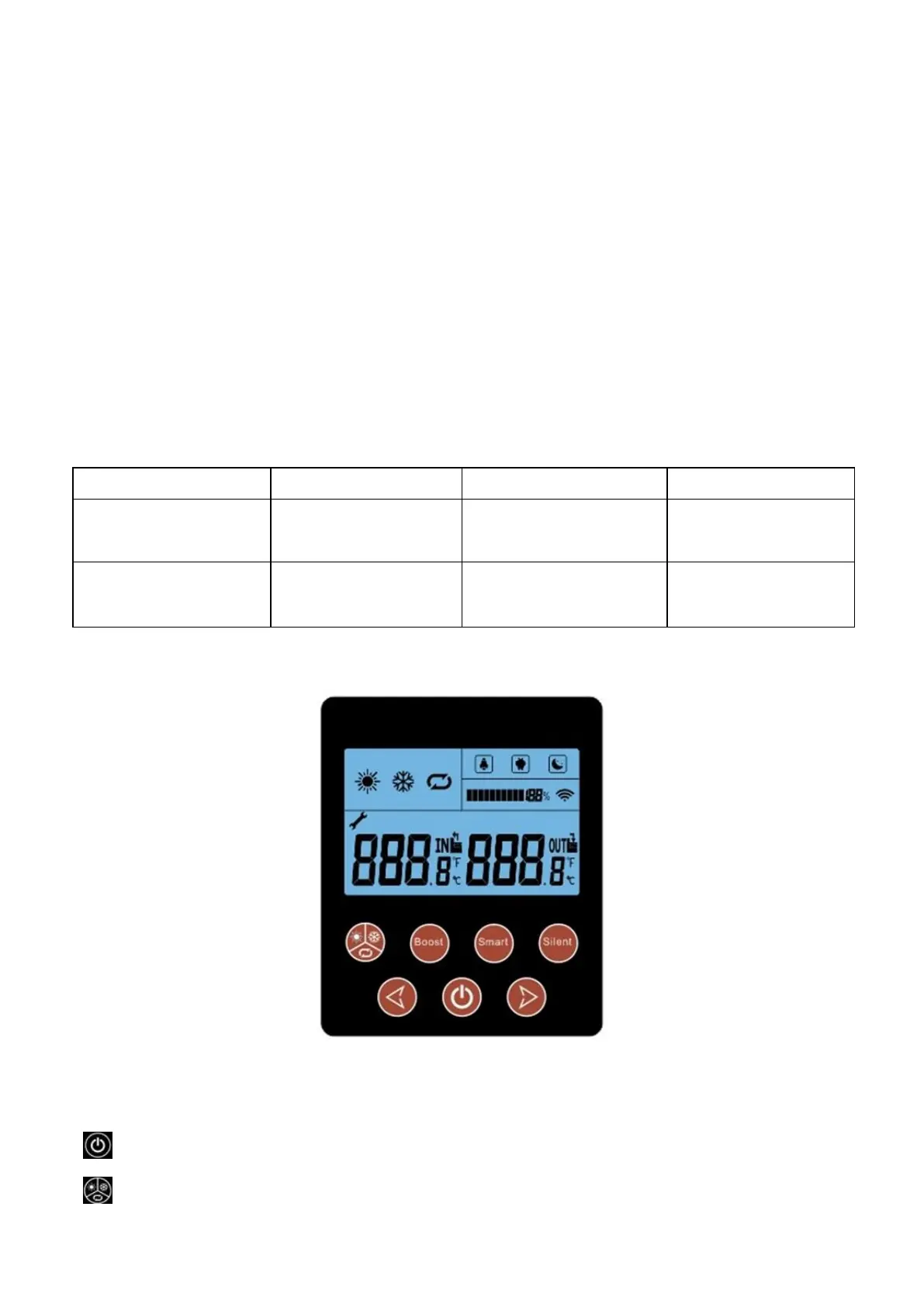
3. Display and Operation Surface
Display Instruction
1. Instruction for Buttons
Start on/off:Short-press to turn.Also user can press this button to exit when they finish setting or checking
Running Modes:Short-Press to turn.Long-Press to into menu option


 To Next Page