INFORMATION (SMS Reply Examples)
Function
Check signal level, Firmware version, Network Mode
& Date/Time stamp
(1
Check stored Visitor callerID.
N = Next Message to follow; E = end of messages
Events Log
Check last 20 events, most recent first
Check stored Visitor Keypad Codes
Check stored Visitor Prox IDs
Apartment number = Digit reference used when programming
resident info.
Enable display of pin code on screen
X = 1 enable; X = 0 disable
Change screen brightness/contrast
X = 1
Edit LCD welcome/instruction message.
Line1
-line 8 = for the text on each line (16 characters per line)
= before the text, means it will be center aligned.
E.g
: 9999#58#=line1/line2/line3/line4/line5/line6/line7/line8/#
/ = next line.
If you want a line with no text just put two /,
E.g
: 9999#58#=line1/line2//line4/line5/line6/line7/line8/#
Line 3 will be empty.
# character not permitted (to display # use “@” character)
[Max 128 characters]
line1/line2/line3/li
ne4/line5/line6/line7/line8#
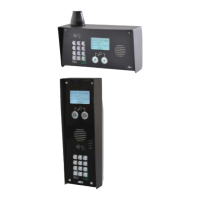
MultiCOM Classic 4G
- Advanced Multi-Resident GSM Intercom
* ALWAYS TEST THE UNIT ON SITE BEFORE INSTALLATION TO AVOID RE-STOCKING FEE * See full T&C’s on our website
STILL HAVING TROUBLE?
Find all of our support options such as Web Chat,
Full Manuals, Customer Helpline and more on
our website:
WWW.AESGLOBALUS.COM
Note: 5555 is the default Managers code shown.
Note: Stored callerID numbers, keypad codes and prox users are VISITOR credentials only.
These do not list RESIDENT credentials. To do that, enquire on each button via the resident info screen
4
Advanced Programming Setup
See our YouTube
Channel for full app
walkthrough
or search
“AES Global”
on Youtube
Hold phone camera
over the QR code
(
)
This QR code will take you to our
resource page where you can find
the datasheet for your intercom.


 To Next Page