10
in.tune instructions
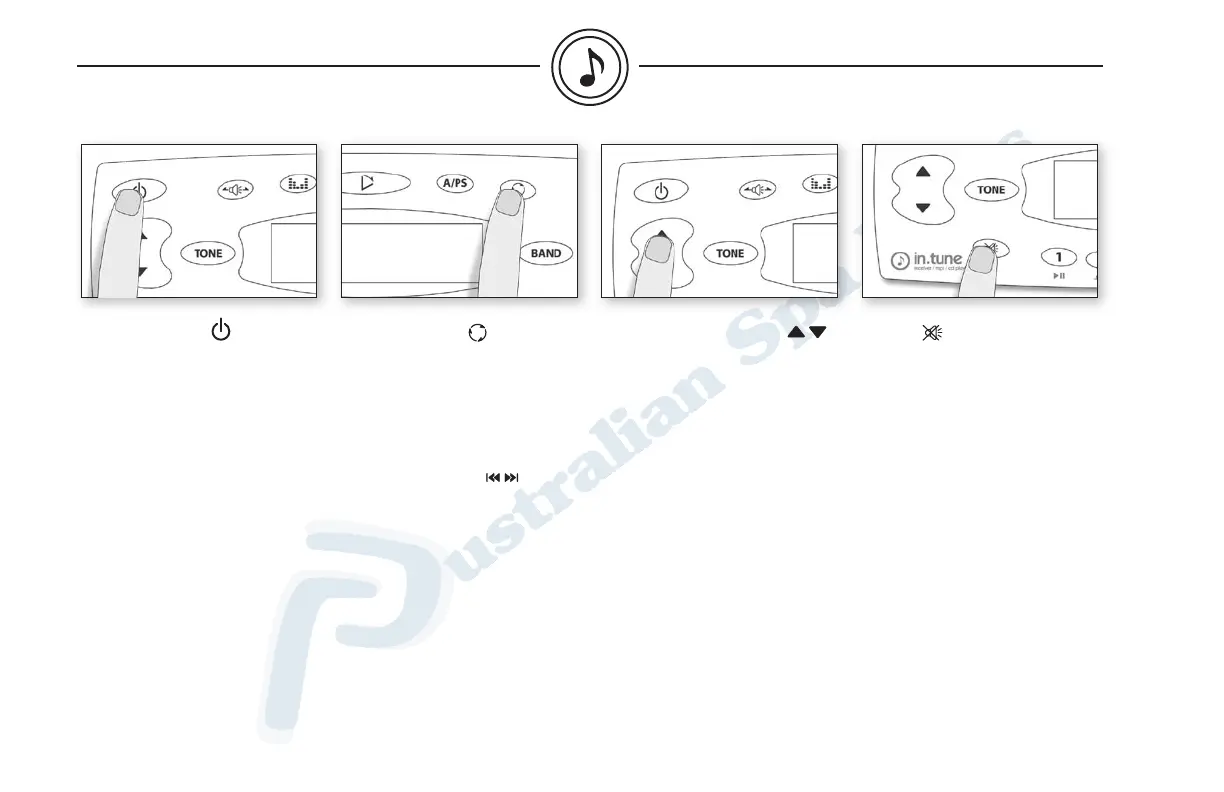
Power on/off
Press Power to turn system on
or off.
Volume up or down
Press Volume up or down to
increase or decrease volume.
Mute
Press Mute to mute the audio
output. Press again to return to
previous volume level.
Clock setting
To set the time, press and hold
Display for 3 seconds.
Time then flashes on the dis-
play. Set the hours by using
Track up or down.
Press Display again. Set the
minutes.
When done, press and hold
Display again for 3 seconds
to exit (or simply wait for
5 seconds).
general


 To Next Page