17
in.tune instructions
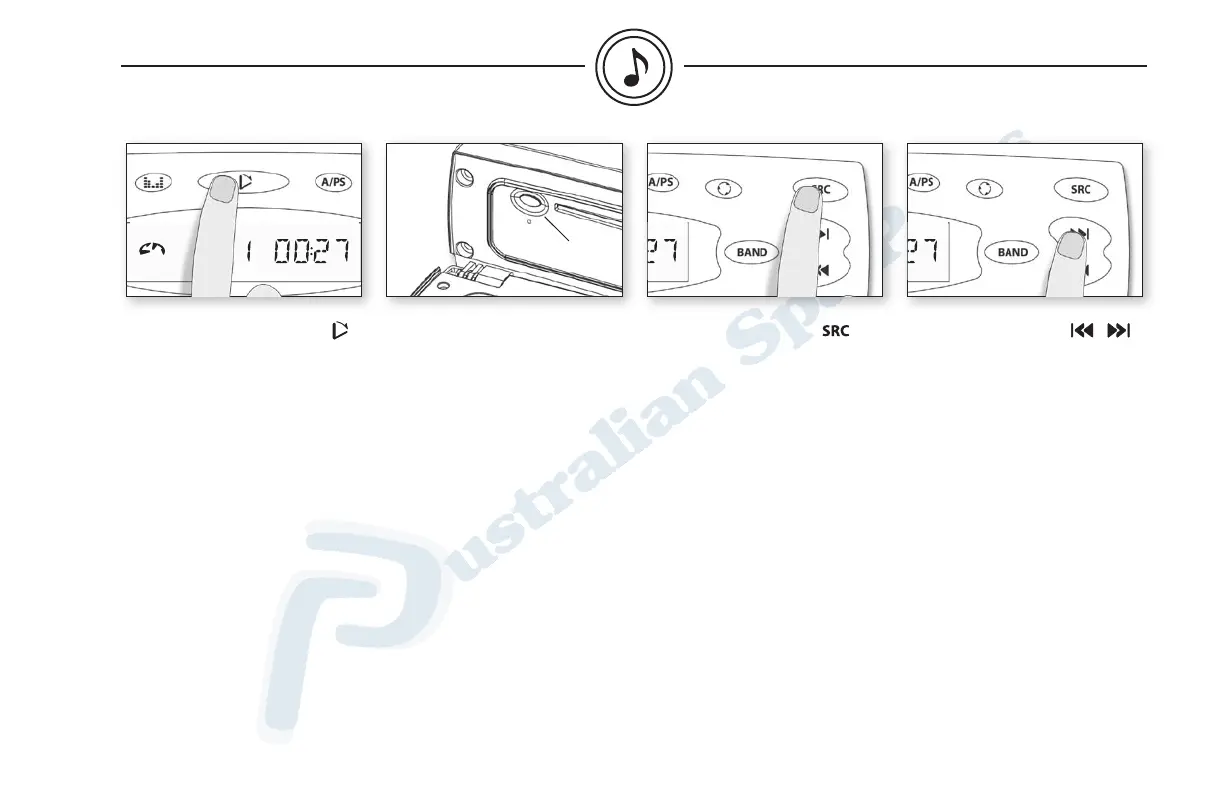
Inserting compact disc
Press Open to flip down the
front panel and access the CD
slot. Insert CD into the CD slot.
The CD will load and play auto-
matically.
If the CD does not auto load,
do not force it. Press the Eject
button as you may already have
a disc inserted.
Ejecting compact disc
To eject CD, flip-down front
panel must be open, then press
Eject button, located on the left.
Selecting CD mode
Press SRC until CD mode
is displayed.
Track up or down
To change music track, simply
press Track up or down.
Eject
button
cd mode


 To Next Page